TikTok Account Warming Guide
更新于 2026-07-20
Introduction
TikTok Account Warming uses AI automation workflows to simulate real user behaviors, helping improve account activity and establish more natural usage patterns.
The system automatically browses TikTok videos and performs random interactions based on configured rules, including:
- Watching TikTok videos (based on target keywords)
- Randomly liking videos
- Randomly following accounts
- Randomly viewing and like comments
Users can customize account warming strategies, including target keywords, video viewing quantity, and interaction frequency, to meet different account operation requirements.
Applicable scenarios:
- New TikTok account warm-up
- TikTok matrix account daily maintenance
- Overseas account activity improvement
- Content category and interest tag building
- Batch account management
Before running the task, please complete the Proxy IP Configuration: https://www.tiksales.net/help/how-to-bind-a-proxy-ip.html
Execution Methods
TikSales supports two ways to execute TikTok Account Warming tasks:
Method 1: Execute from 【Environment Management】
Suitable for users who want to select specific environments and run account warming tasks directly.
Steps:
Go to 【Environment Management】 → Select the environment(s) to execute the task → Click 【Execute】 / 【Batch Execute】
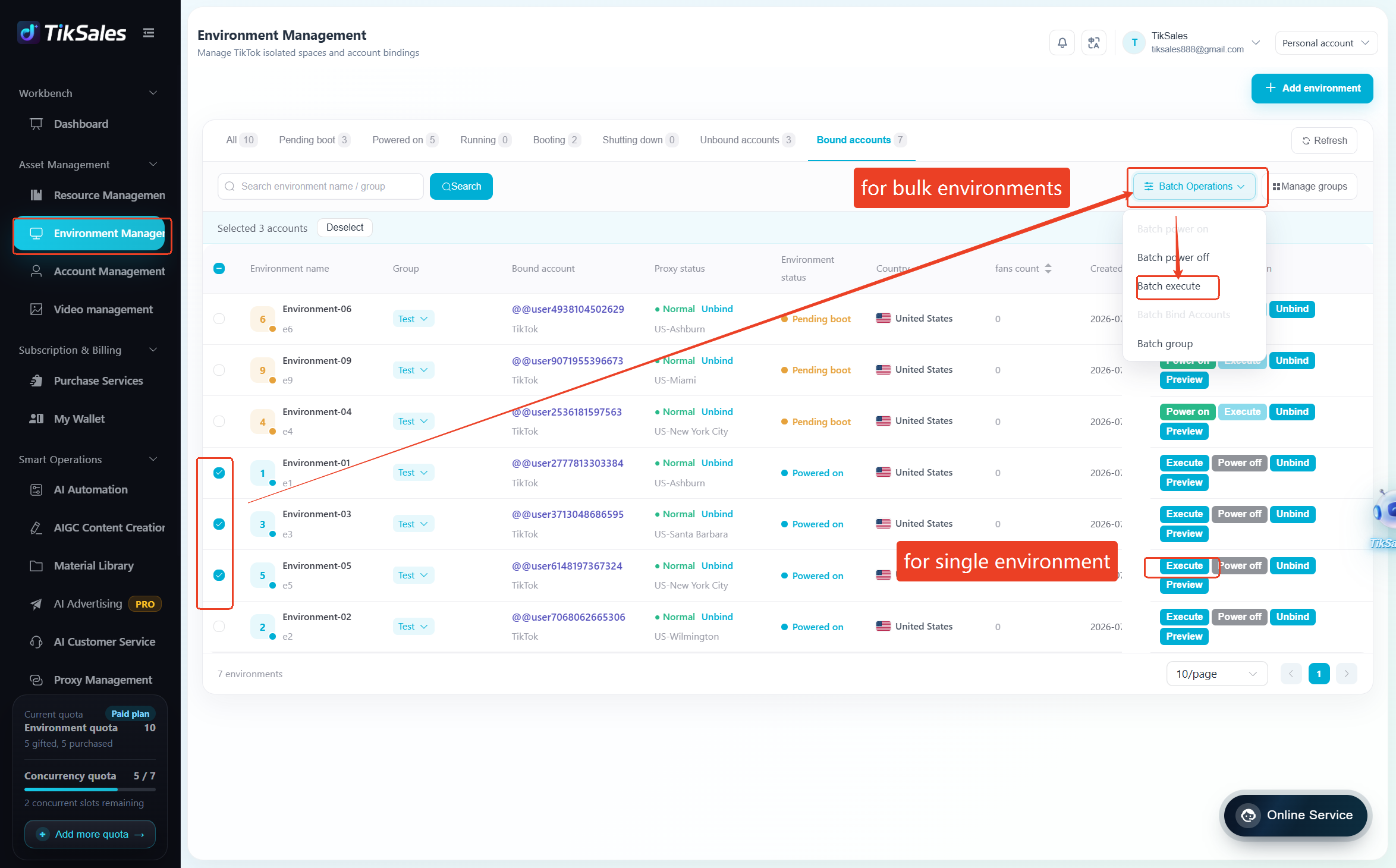
Before execution, please confirm the environment meets the following requirements:
✅ Environment is powered on and TikTok account has been bound
✅ Proxy IP has been configured
✅ TikTok app has been installed and App language is set to English
Select the task: TikTok Account Warming → Enter target keywords (optional, used for content matching) → Set the number of videos to watch → Configure interaction frequency→ Click 【Confirm】 to start the task

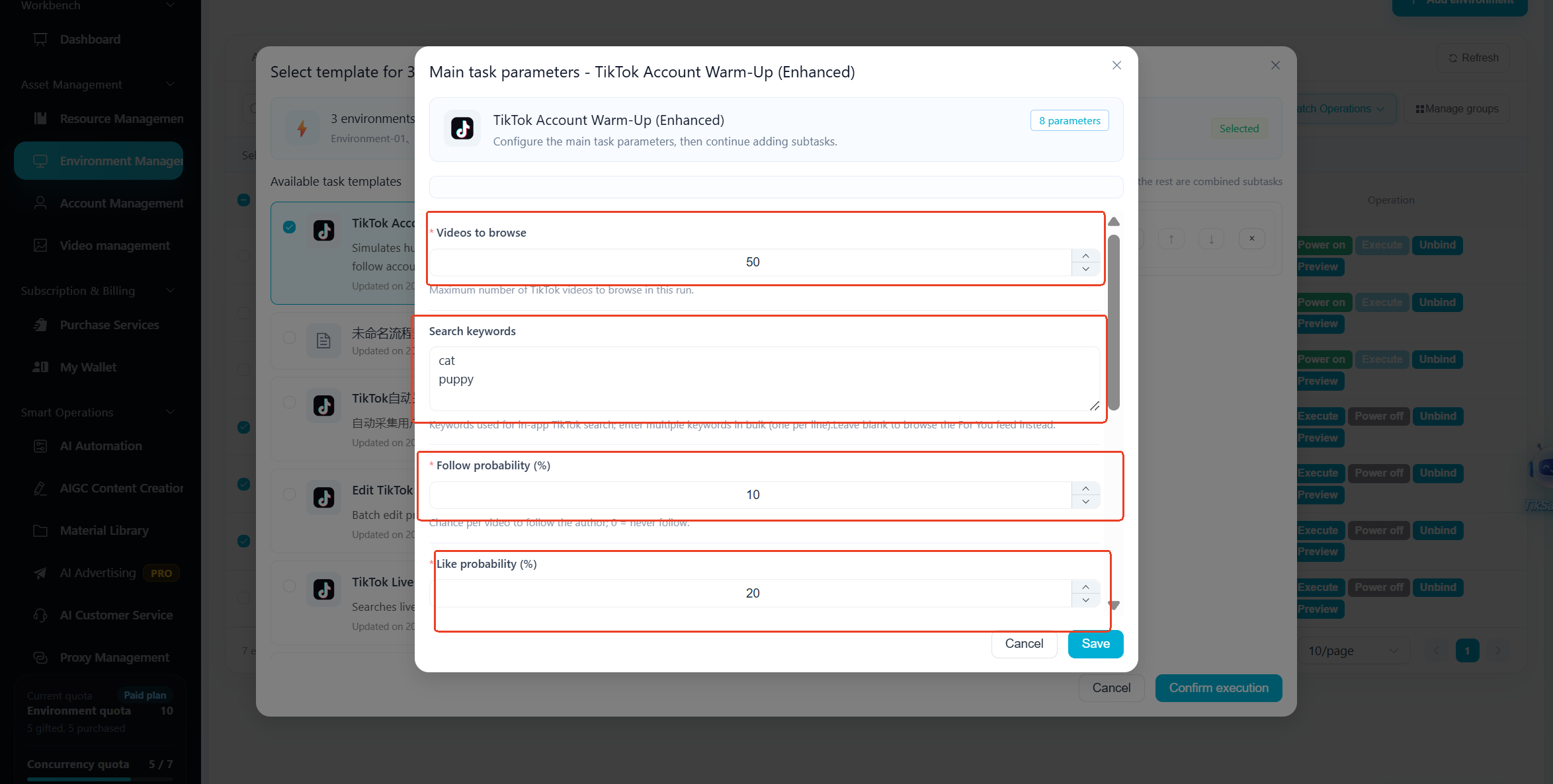
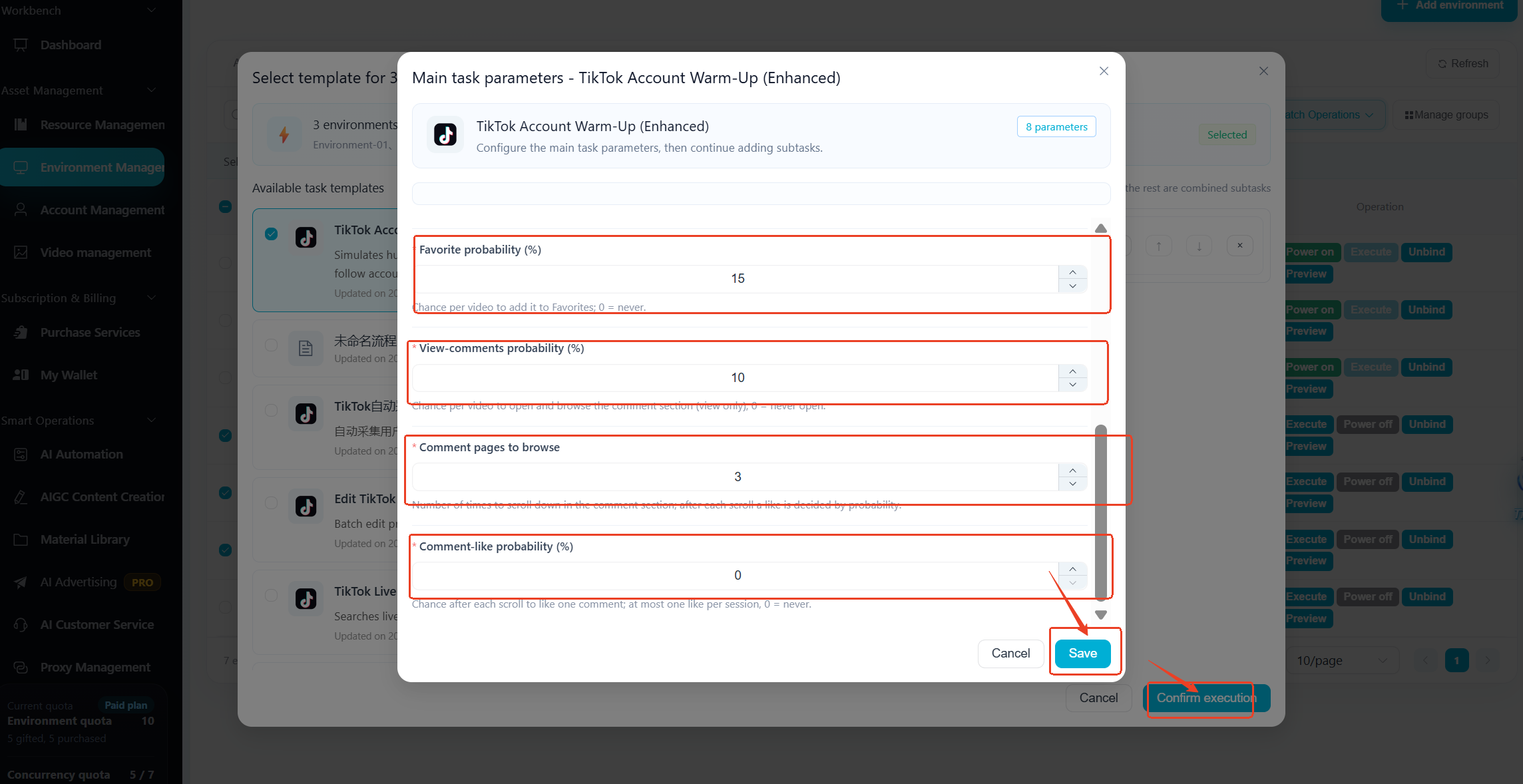
Method 2: Execute from 【Smart Operations】-【AI Automation】
Suitable for quickly creating automated account warming tasks.
Steps:
Go to 【Smart Operations】-【AI Automation】→ Select TikTok Account Warming module → Click 【Run】 → Add execution environments → Configure warming parameters → Select execution mode (Run Immediately / Scheduled) → Click 【Publish】
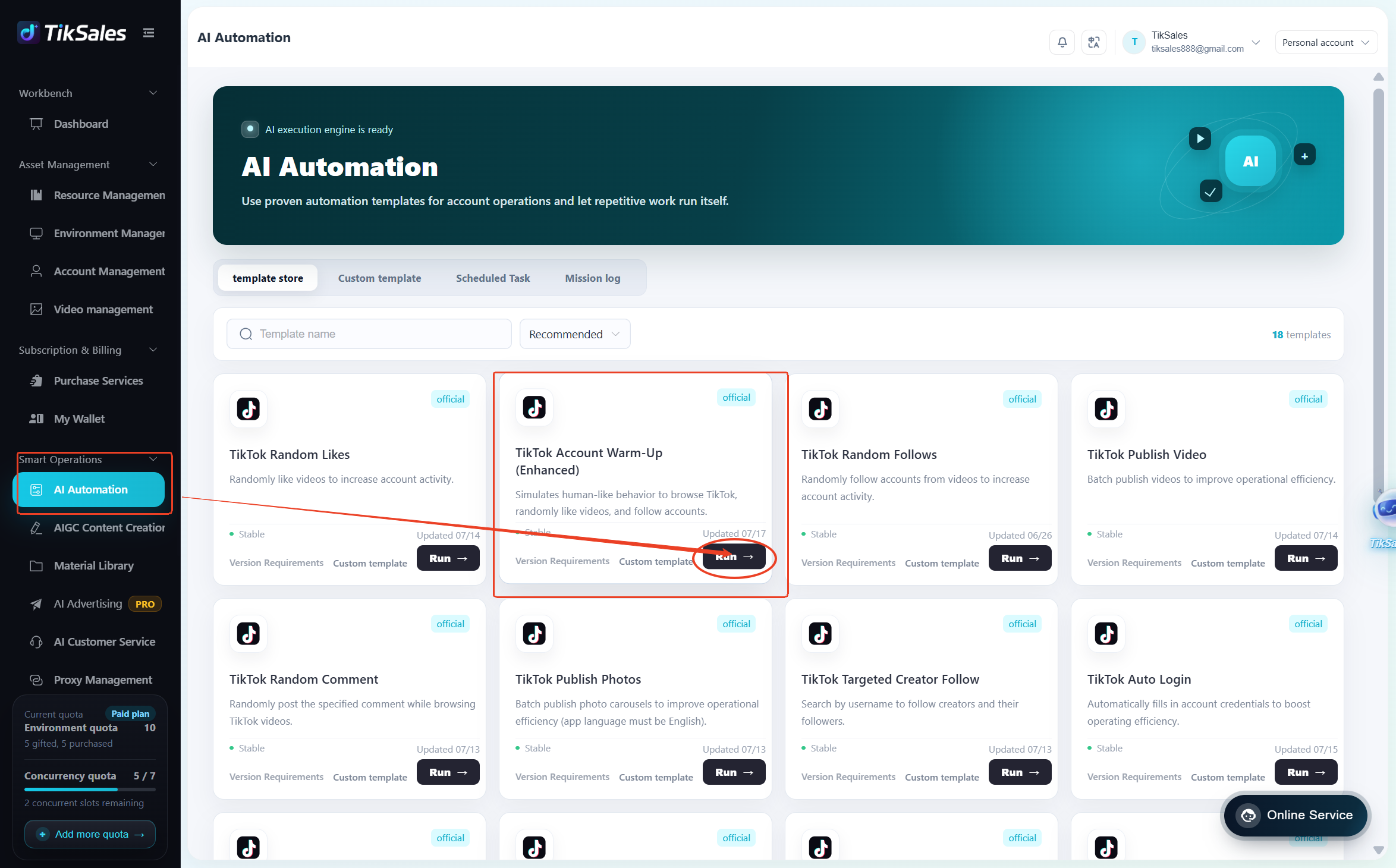
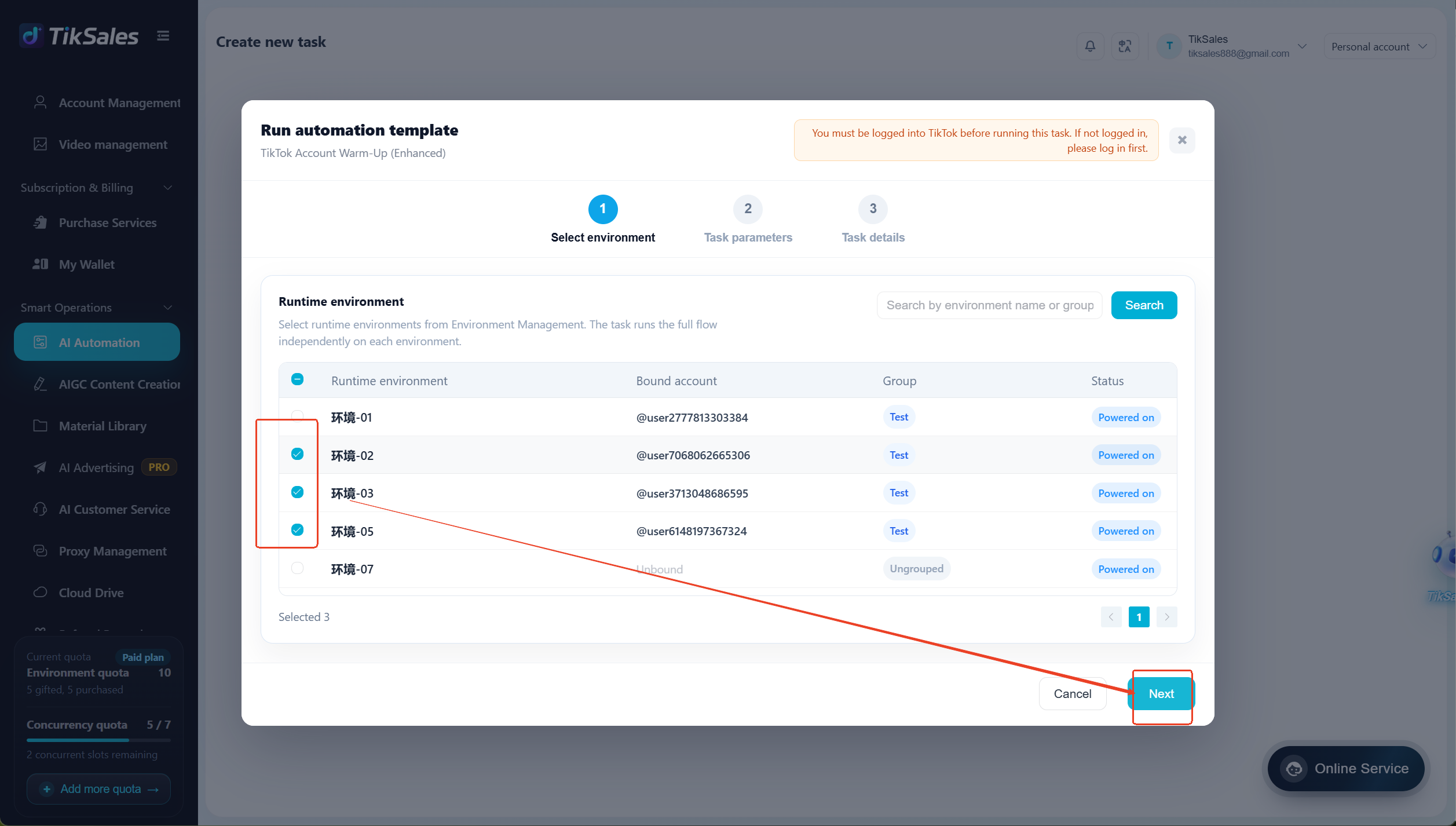
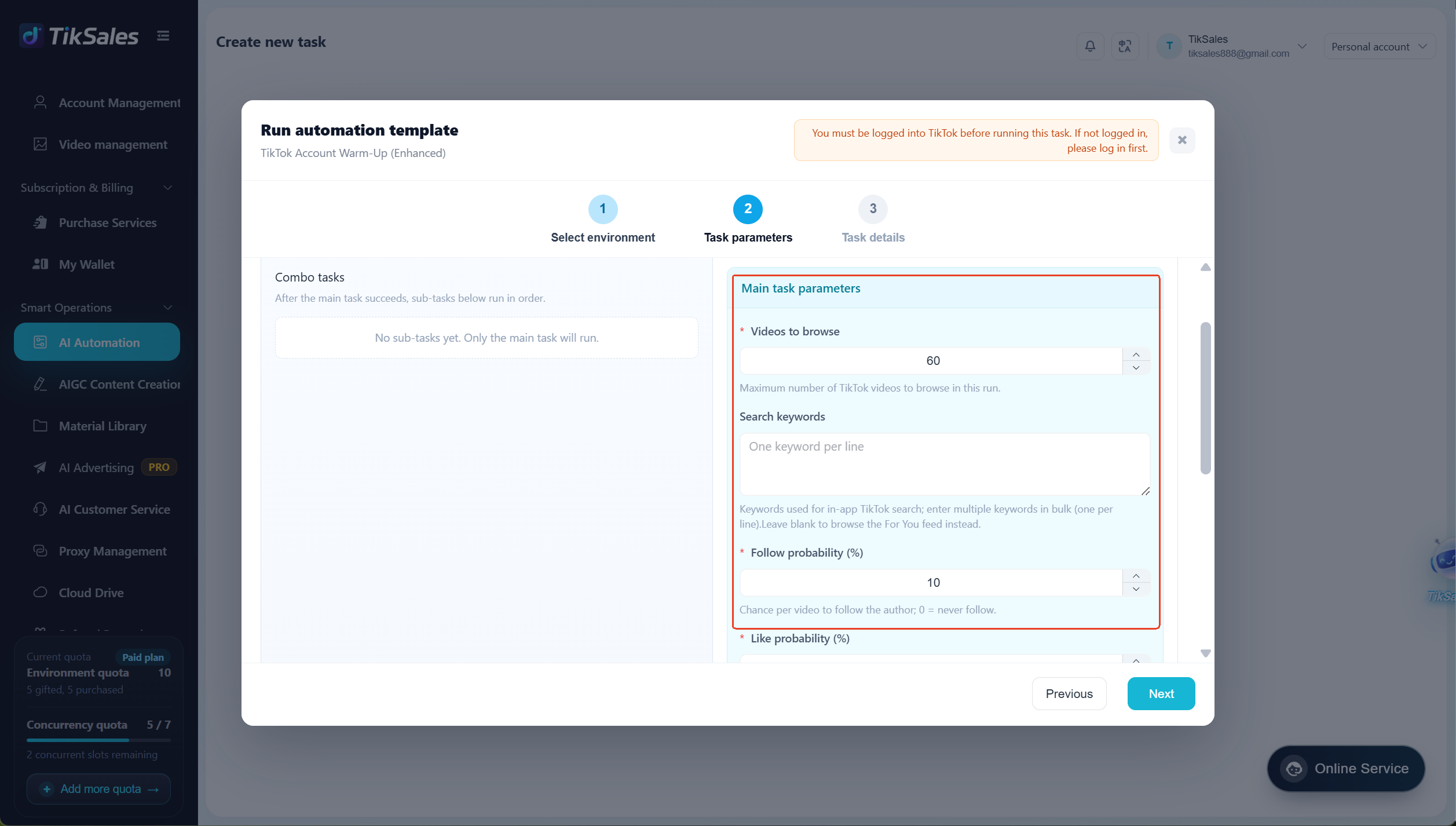
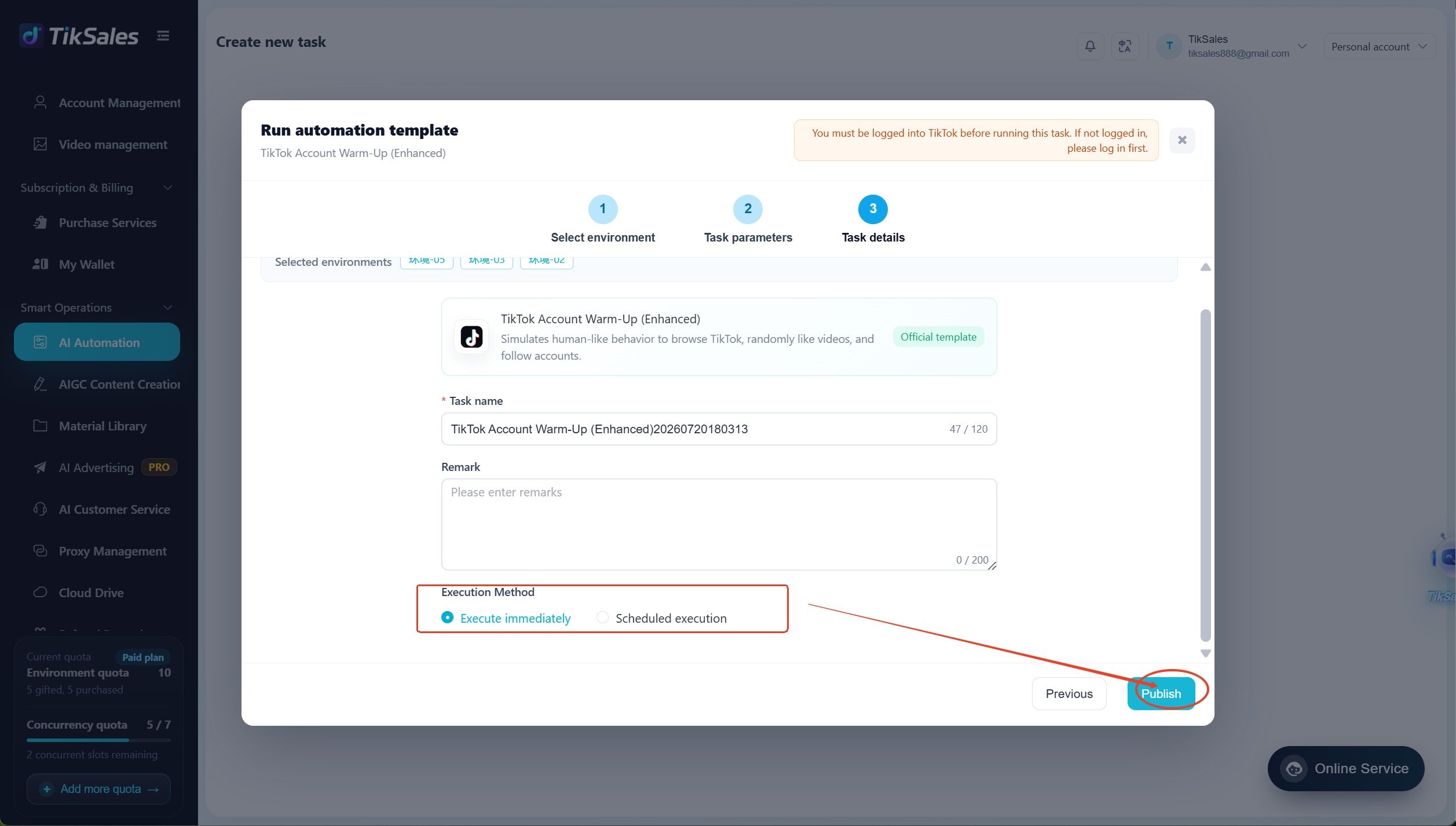
Before execution, please confirm the environment meets the following requirements:
✅ Environment is powered on and TikTok account has been bound
✅ Proxy IP has been configured
✅ TikTok app has been installed and App language is set to English
Feature Details
1. Automatic Video Browsing
The system automatically enters TikTok recommendation feeds and simulates natural user browsing behaviors based on configured settings.
Supported actions:
- Randomly browse videos
- Automatically watch videos for a certain duration
- Discover content based on keywords
- Control the number of watched videos
By continuously browsing related content, the account can gradually build interest tags and content preferences.
2. Random Interaction
The system performs random interactions on watched videos according to configured frequency settings.
Supported interactions:
- Like videos
- Follow accounts
- Save videos
- View comments
- Like comments
- Post comments
Users can configure:
- Like frequency
- Follow frequency
- Save frequency
- Comment frequency
- Interaction intervals
Randomized interaction settings help avoid repetitive behavior patterns and make account activity more natural.
3. Keyword-Based Content Discovery
Users can enter target keywords, allowing the system to prioritize browsing videos related to specific topics.
Examples:
- beauty
- fitness
- travel
- food
- gaming
The system will search for related content based on keywords, helping accounts establish relevant interest categories.
4. Custom Viewing Quantity
Users can define the number of videos to watch during each warming task.
The system will execute browsing activities according to the configured quantity and complete the task automatically.
Important Notes
1. Before running the task, please confirm:
✅ Environment is powered on and TikTok account has been bound
✅ Proxy IP has been configured
✅ TikTok app has been installed and App language is set to English
❕️ Do not modify device language or environment settings, as this may affect automation execution.
2. During task execution, please avoid:
- Manually operating the TikTok app
- Switching app pages
- Modifying device environment settings
- Changing Proxy IP
- Interrupting the automation process
Keep the automation workflow running continuously to ensure the task completes properly.
3. Recommended Settings:
- Reduce interaction frequency for newly created accounts
- Avoid performing large numbers of actions in a short period
- Gradually increase task volume based on account status
4. View Task Execution Records
To view automation execution screens, task status, and logs, please refer to: https://www.tiksales.net/help/task-management-en.html