TikTok Auto-Publish Video Guide
更新于 2026-07-21
1. Feature Introduction
The TikTok Video Publishing feature helps users automatically publish videos on TikTok accounts. By uploading video files and configuring captions, the system can execute video publishing tasks according to the selected settings, improving account operation efficiency.
Supported features:
- Automatically publish TikTok videos
- Batch publish videos across multiple accounts
- Configure video captions
- Schedule video publishing tasks
Applicable scenarios:
- Daily TikTok account operation
- TikTok account matrix management
- Batch content distribution
- Automated account operation
2. Execution Methods
TikSales provides two ways to execute TikTok video publishing tasks:
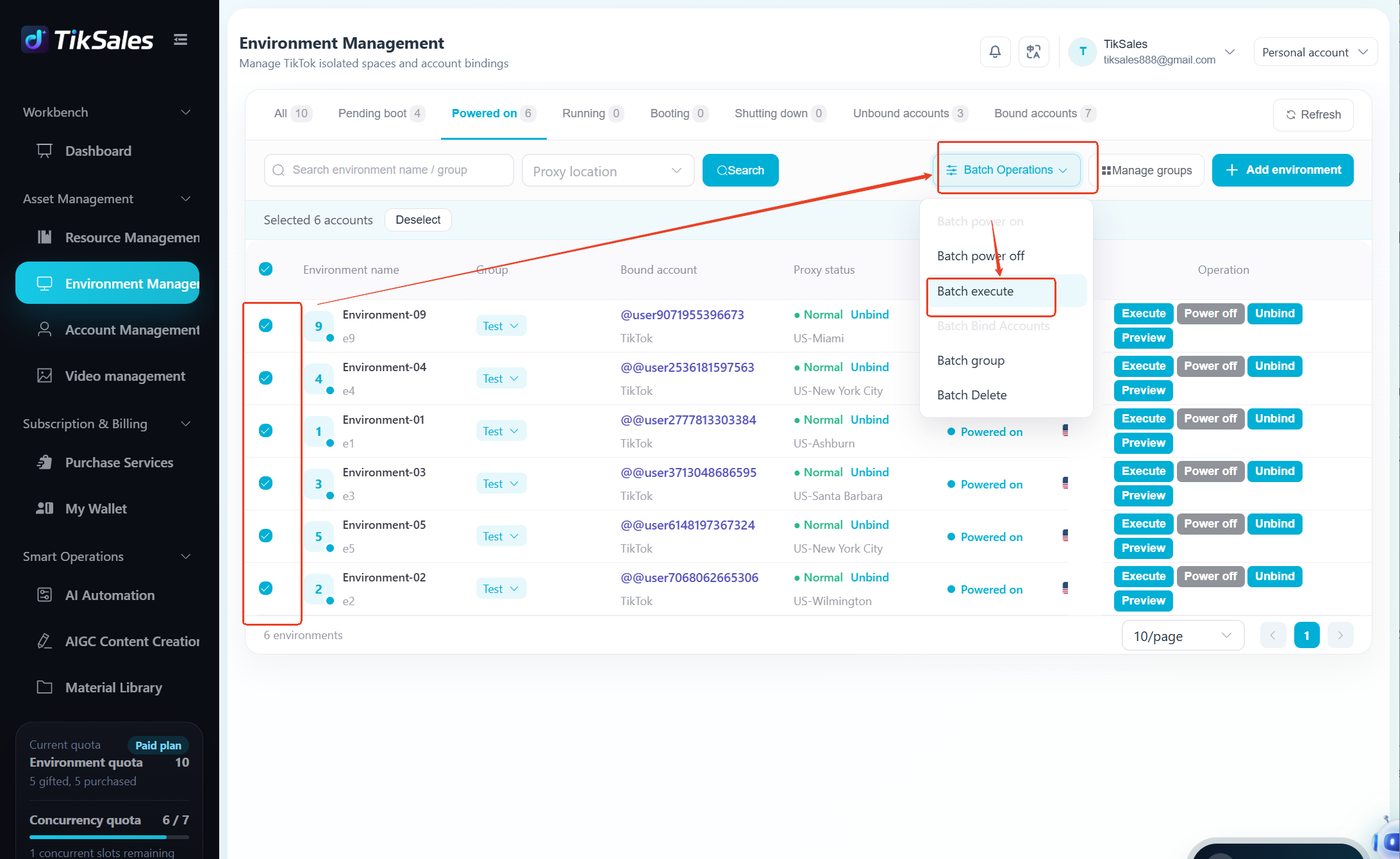
Method 1: Execute from 【Environment Management】
Suitable for users who want to select specific account environments and execute publishing tasks directly.
Before execution, please confirm the environment meets the following requirements:
✅ TikTok account is bound and logged in (Recommended: Run the 【Auto Login】 task first, or create a combination task: 【Auto Login】 → 【Publish Video】)
✅ Proxy IP is configured
✅ Environment is powered on
Steps:
① Go to 【Environment Management】 → Select the environment(s) to execute the task → Click 【Execute】 / 【Batch Execute】
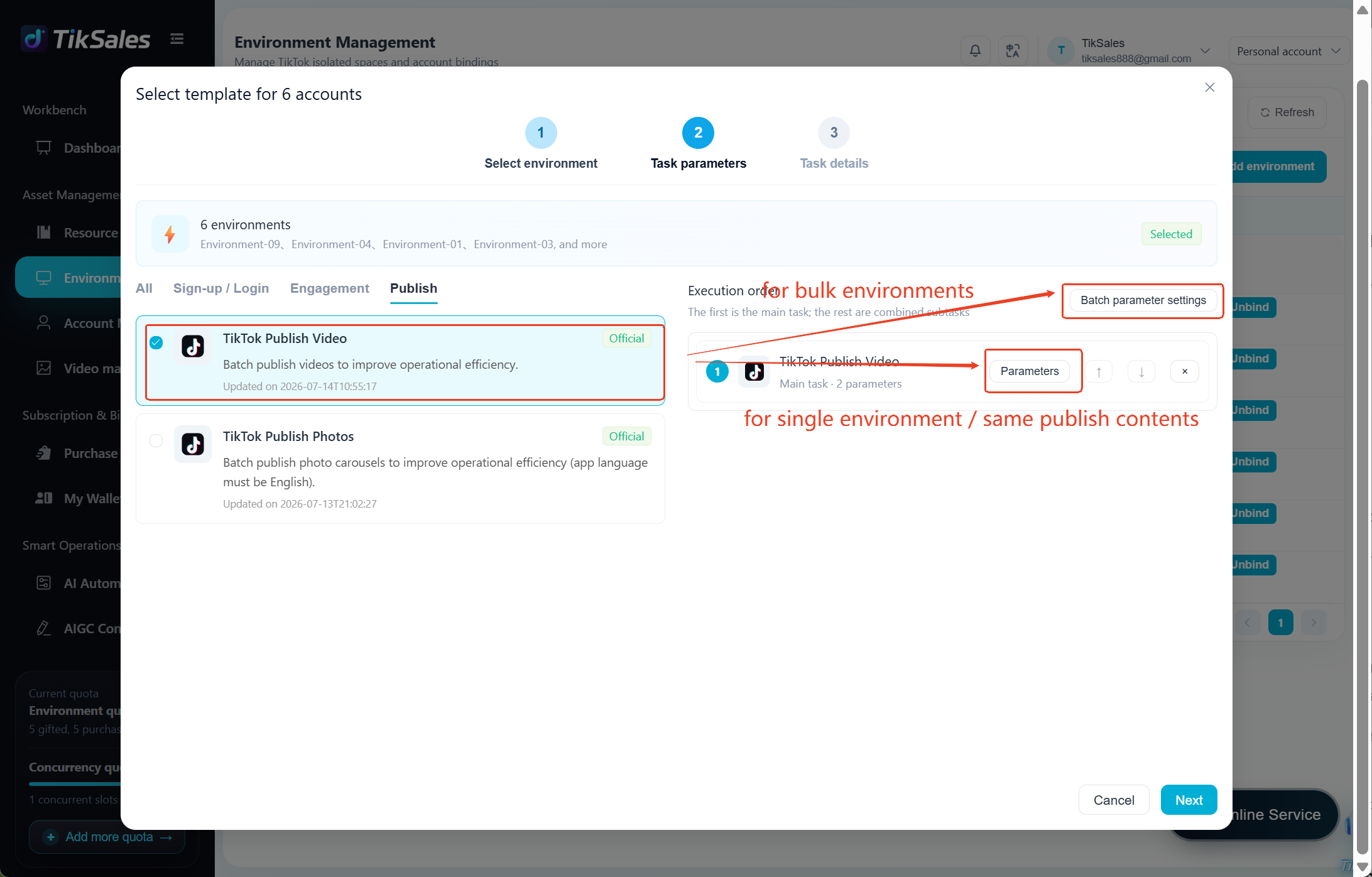
② Select the task: TikTok Video Publishing → Upload the video file(s) to be published → Add video captions → Select the 【Execution Method】 → Click 【Confirm】 to execute the task
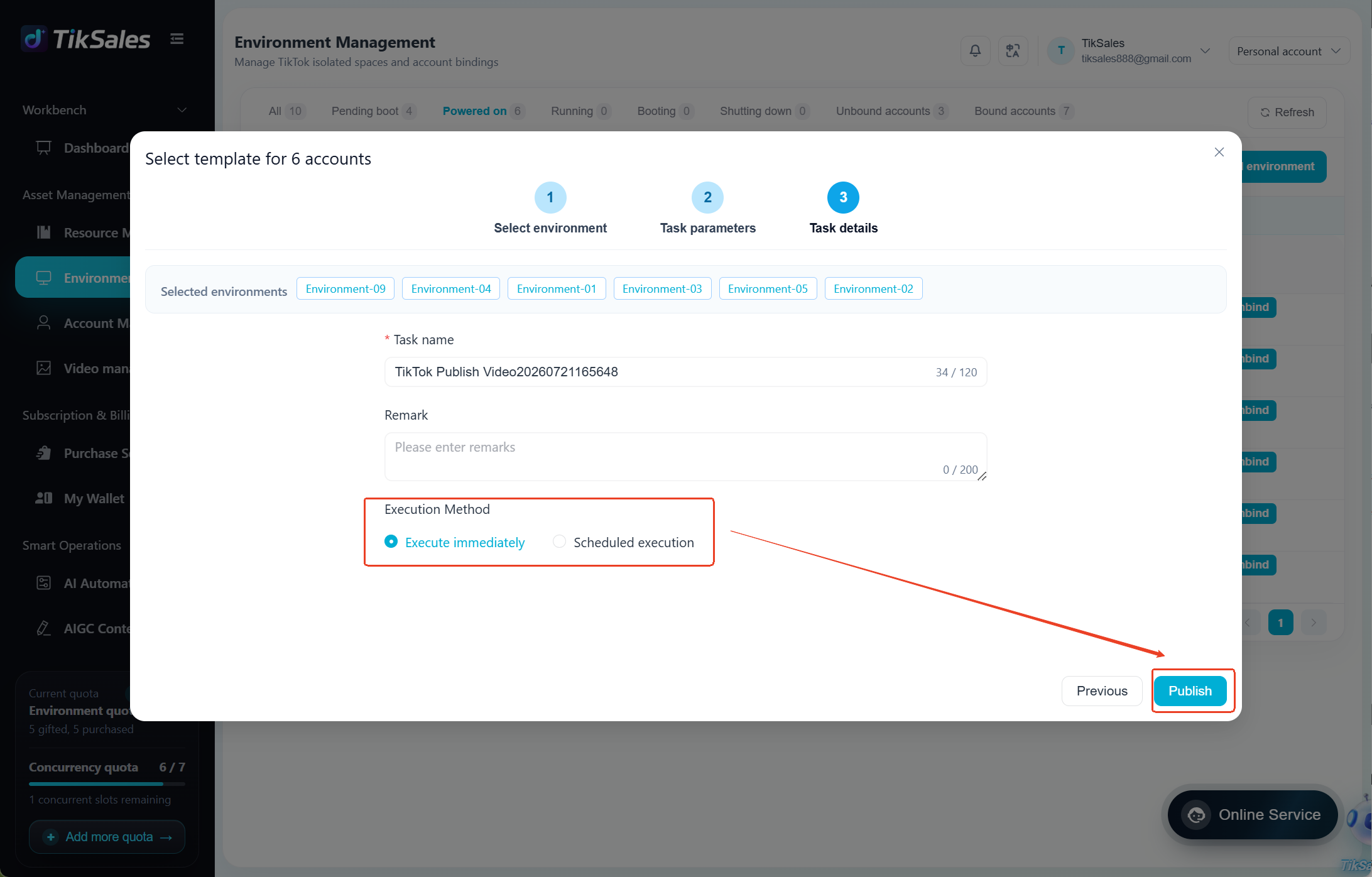
Method 2: Execute from 【Smart Operation】-【AI Automation】
Suitable for quickly creating batch publishing tasks.
Steps:
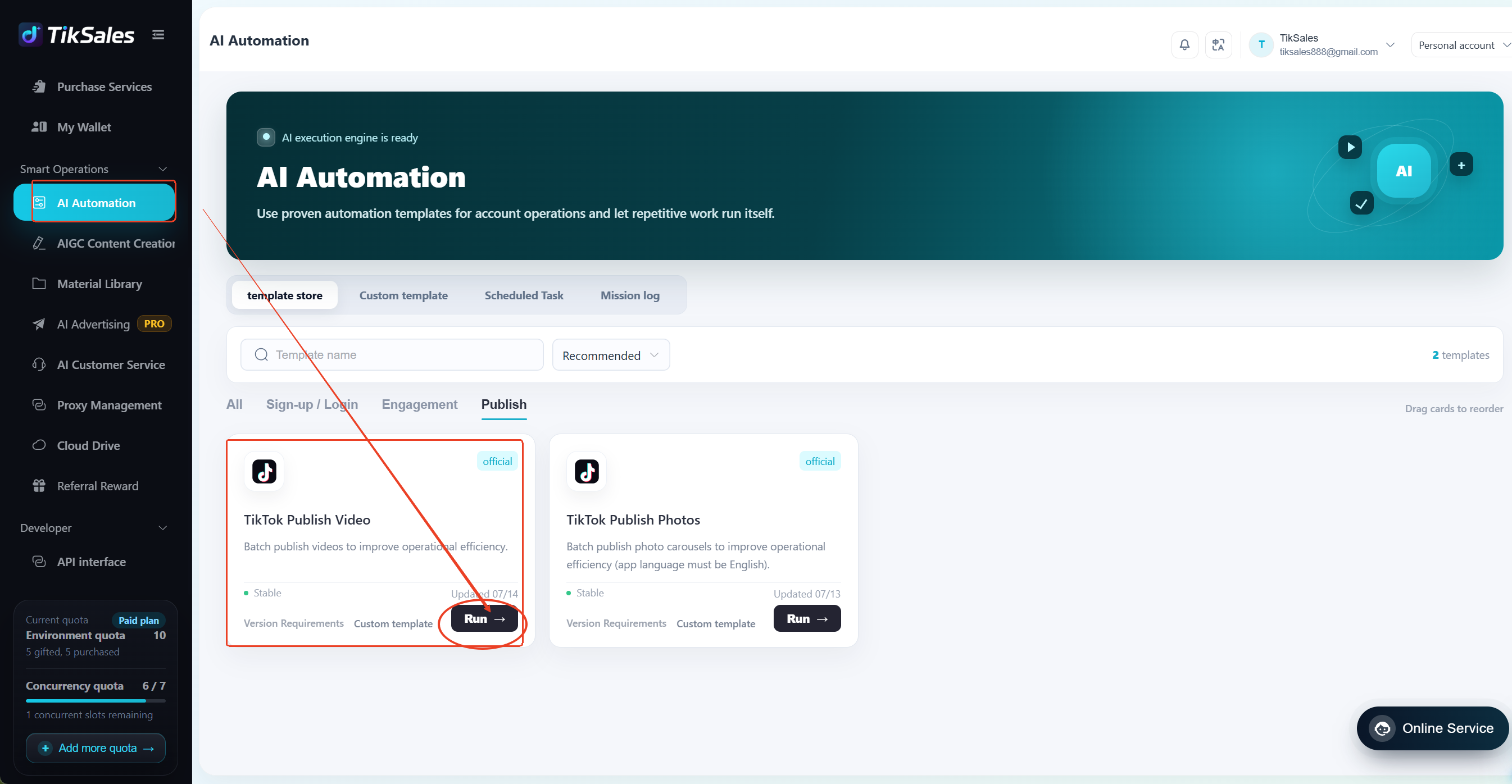
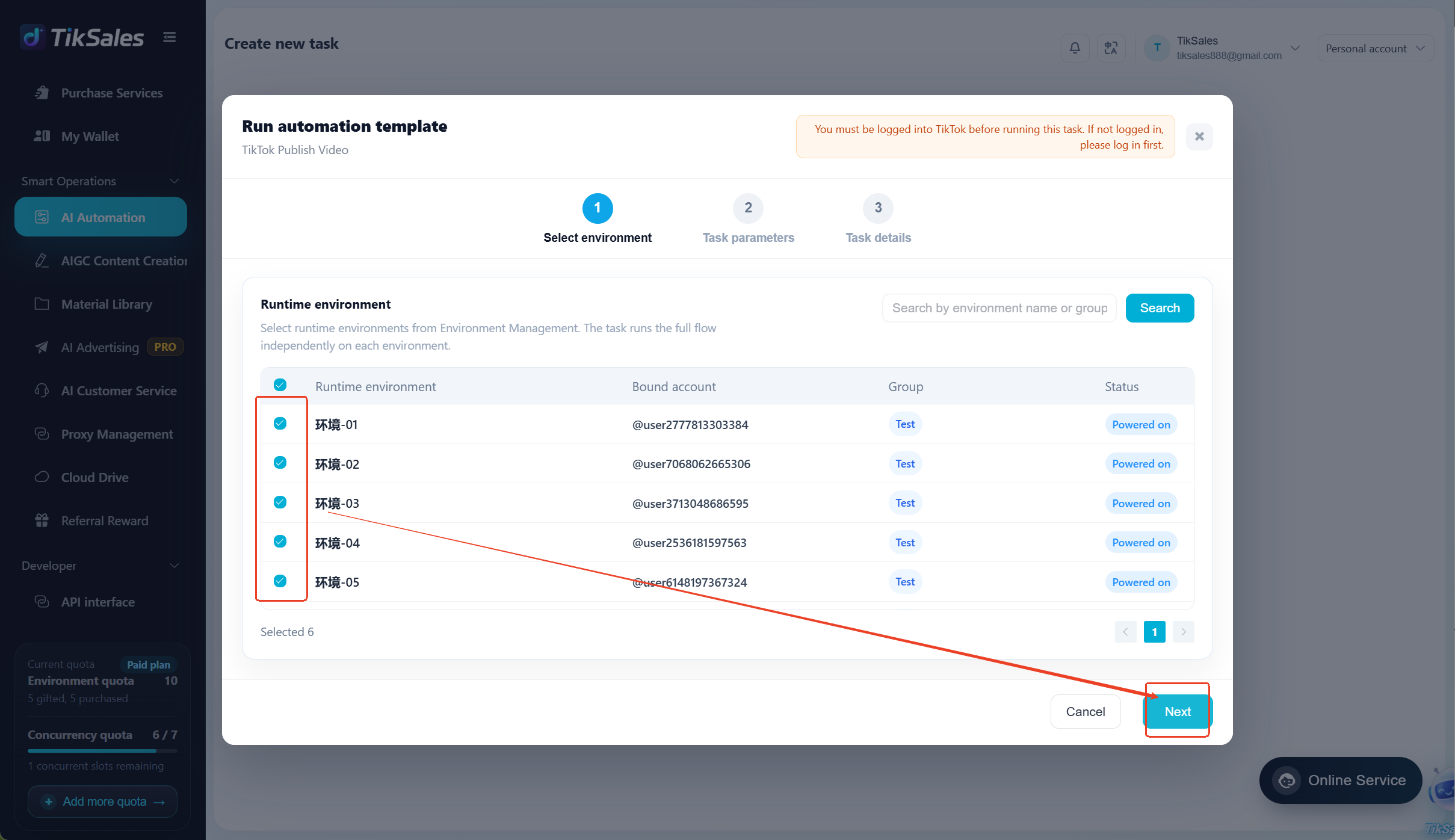
① Go to 【Smart Operation】→ 【AI Automation】→ Select TikTok Video Publishing module → Click 【Run】
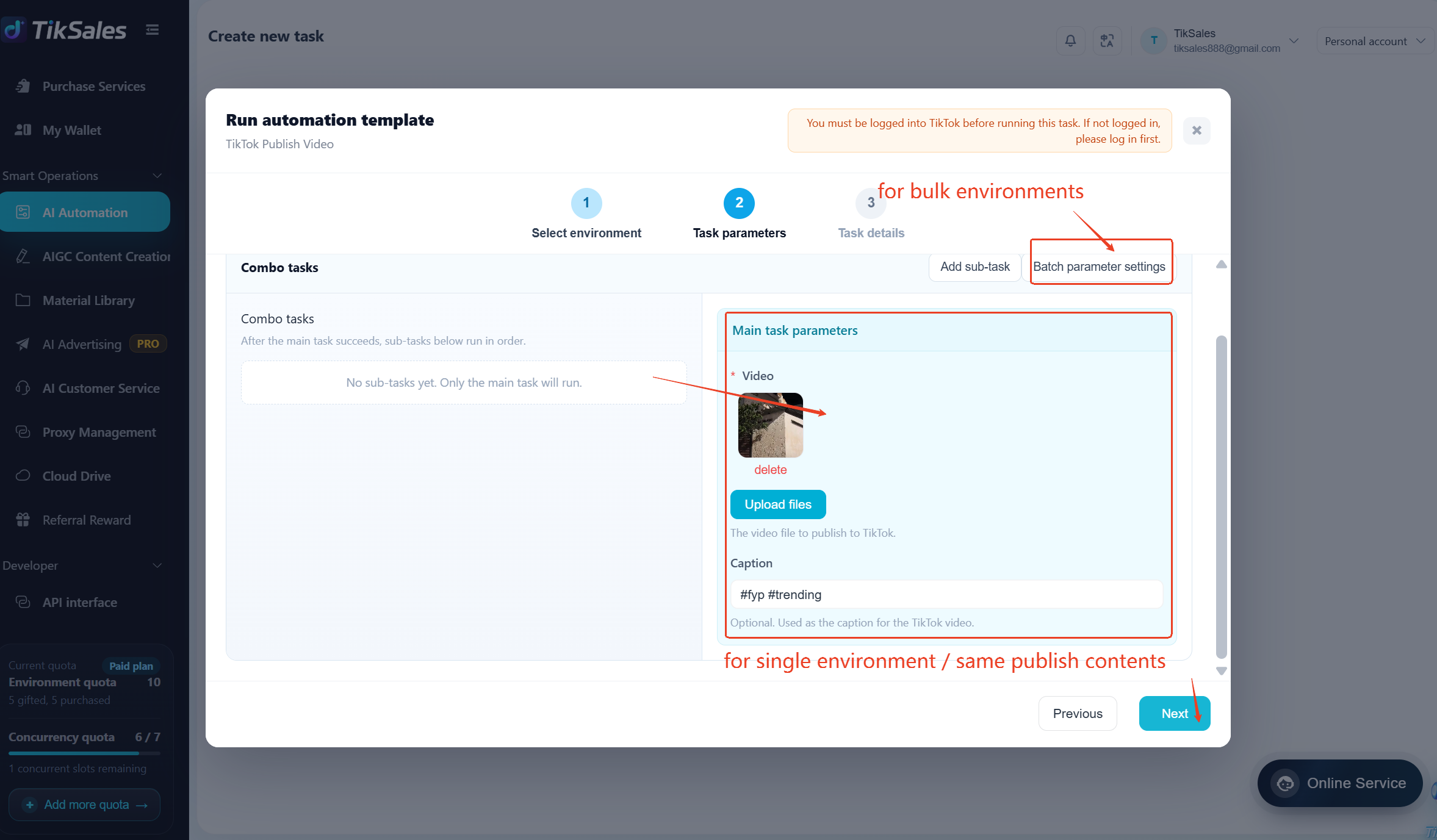
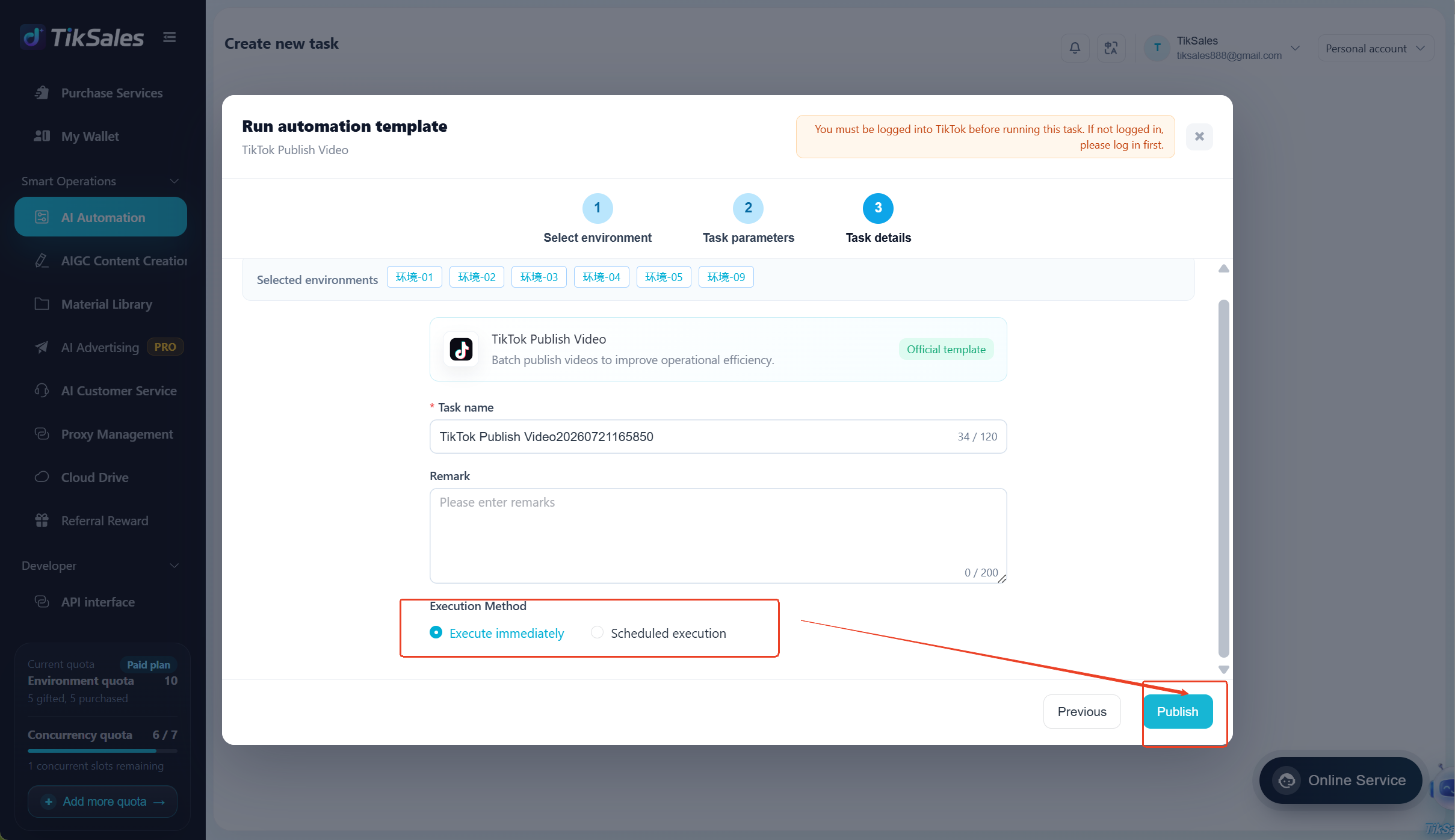
② Add execution environments → Add the video files to be published → Configure corresponding captions → Select the 【Execution Method】 → Click 【Publish】 to create the automation task.
3. Important Notes
① Confirm Before Executing Publishing Tasks
Before starting the publishing task, please make sure:
✅ Environment is powered on
✅ TikTok account is bound
✅ TikTok account is logged in
✅ Proxy IP is configured
❕️ If the TikTok account is not logged in, the video publishing task cannot be completed successfully.
② Recommended to Combine with Account Warming Tasks
To improve account operation stability, it is recommended to execute TikTok account warming tasks before and after video publishing.
You can choose:
Execute account warming tasks separately
Create a combination task: Account Warming → Publish Video → Account Warming
By continuously simulating normal user activity, the account can maintain more natural daily operation behavior.
For combination task instructions, please refer to: https://www.tiksales.net/help/combo-task-guide.html
③ Notes for Newly Registered Accounts
For newly registered TikTok accounts:
❕️ It is recommended to leave the account idle for at least 3 hours after registration before publishing videos.
Avoid performing high-frequency operations immediately after registration, which may affect normal account usage.
④ Keep the Device Environment Stable
During task execution, please do not modify:
Device language settings
Environment configuration
Proxy IP settings
The default device language is recommended to remain English to ensure automation tasks can run properly.
4. View Task Execution Records
To view automation task execution screens or task logs, please refer to:
https://www.tiksales.net/help/task-management-en.html