TikTok Email Registration Guide
更新于 2026-09-16
Before registration, please complete the Proxy IP Configuration for your environments:
https://www.tiksales.net/help/how-to-bind-a-proxy-ip.html
Execution Method
Step 1: Select Execution Environments
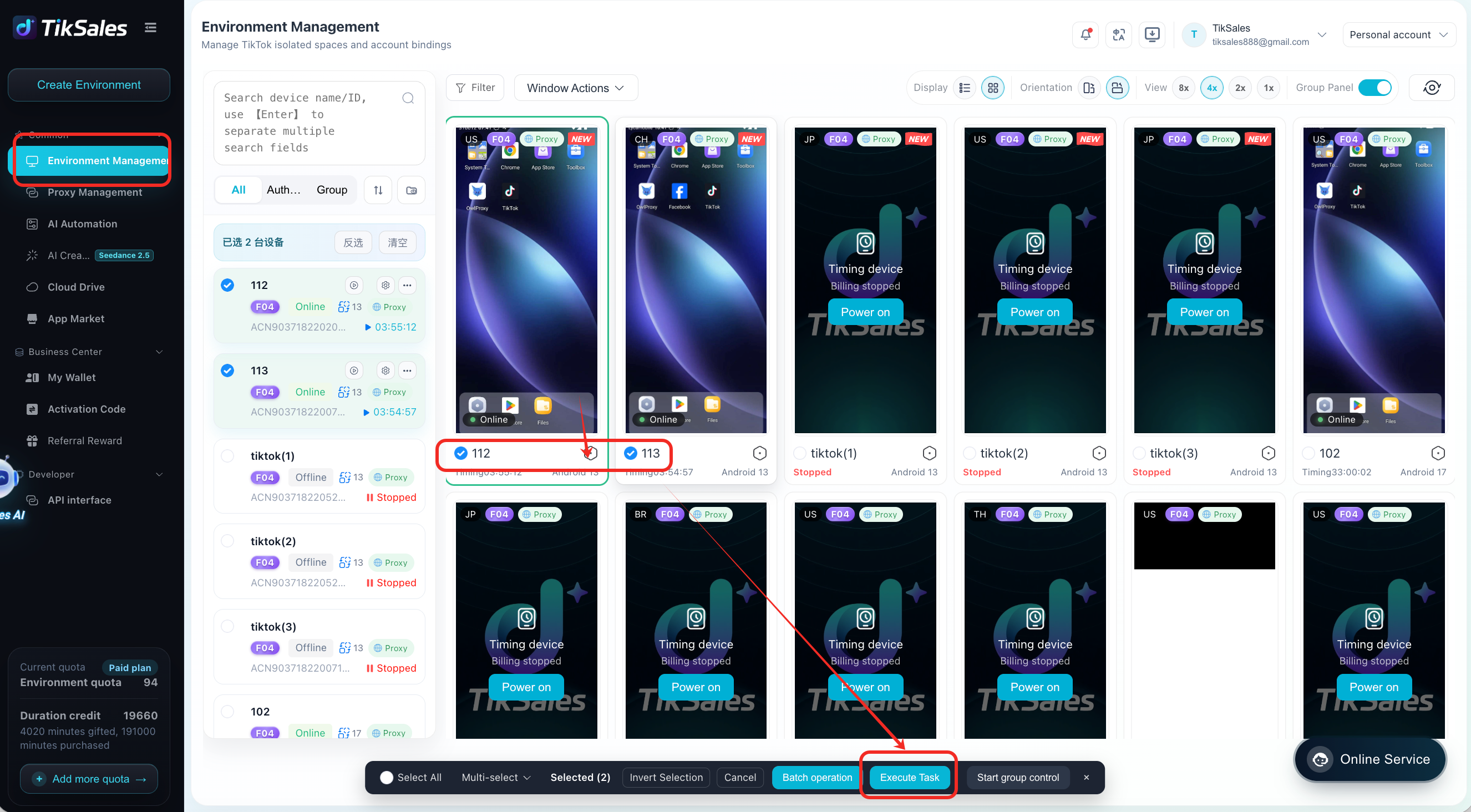
Go to 【Environment Management】 → Select the device(s) with a configured proxy → Click 【Execute Task】.
Before execution, please confirm that the selected environment meets the following requirements:
✅ Environment is powered on
✅ Proxy IP has been configured. (A dynamic IP proxy is recommended.)
✅ TikTok app has been installed
Step 2: Select Email Registration
After clicking 【Execute Task】:
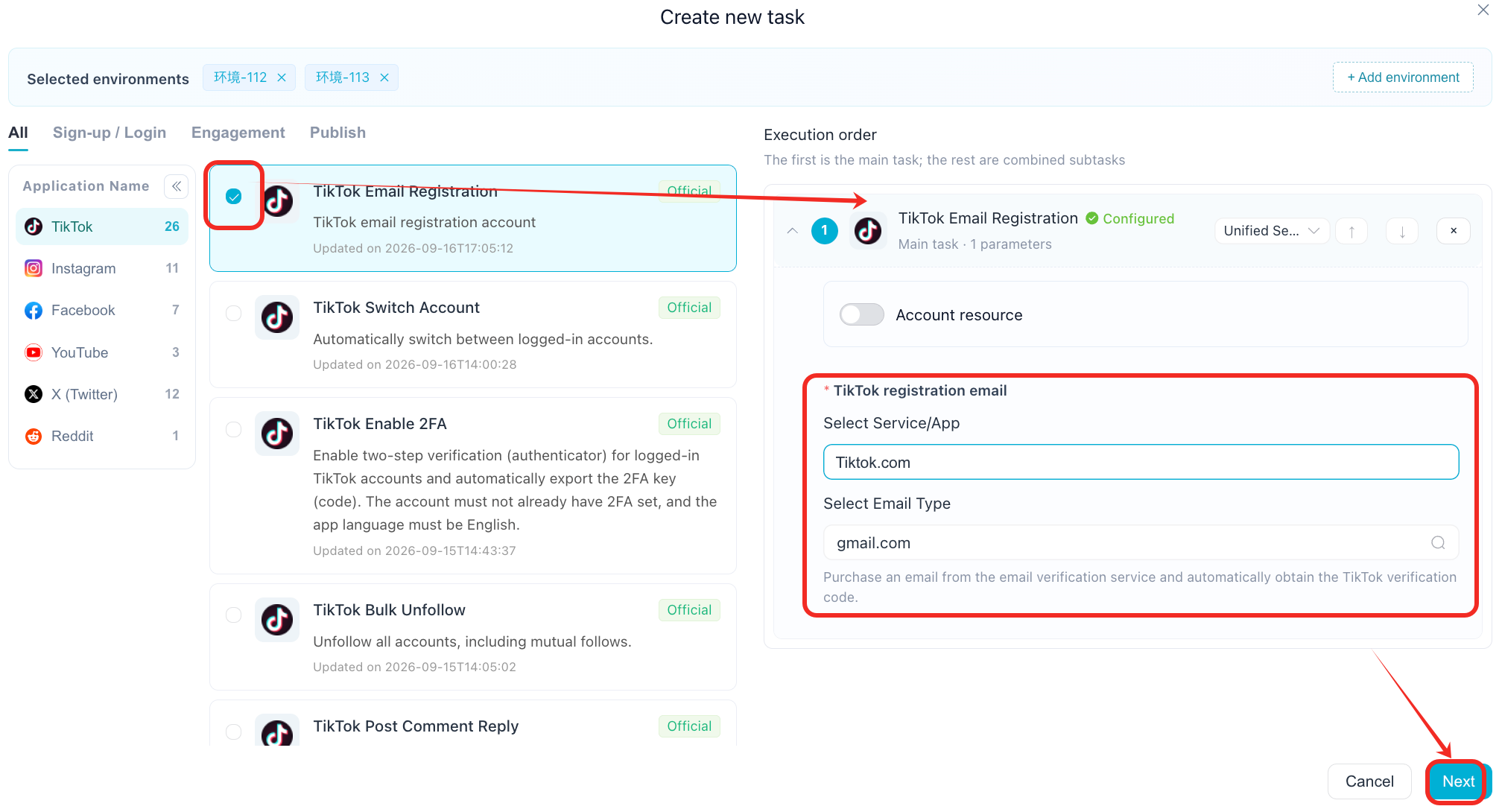
Select the TikTok Email Registration task.
Select the email type. Gmail is recommended for email registration.
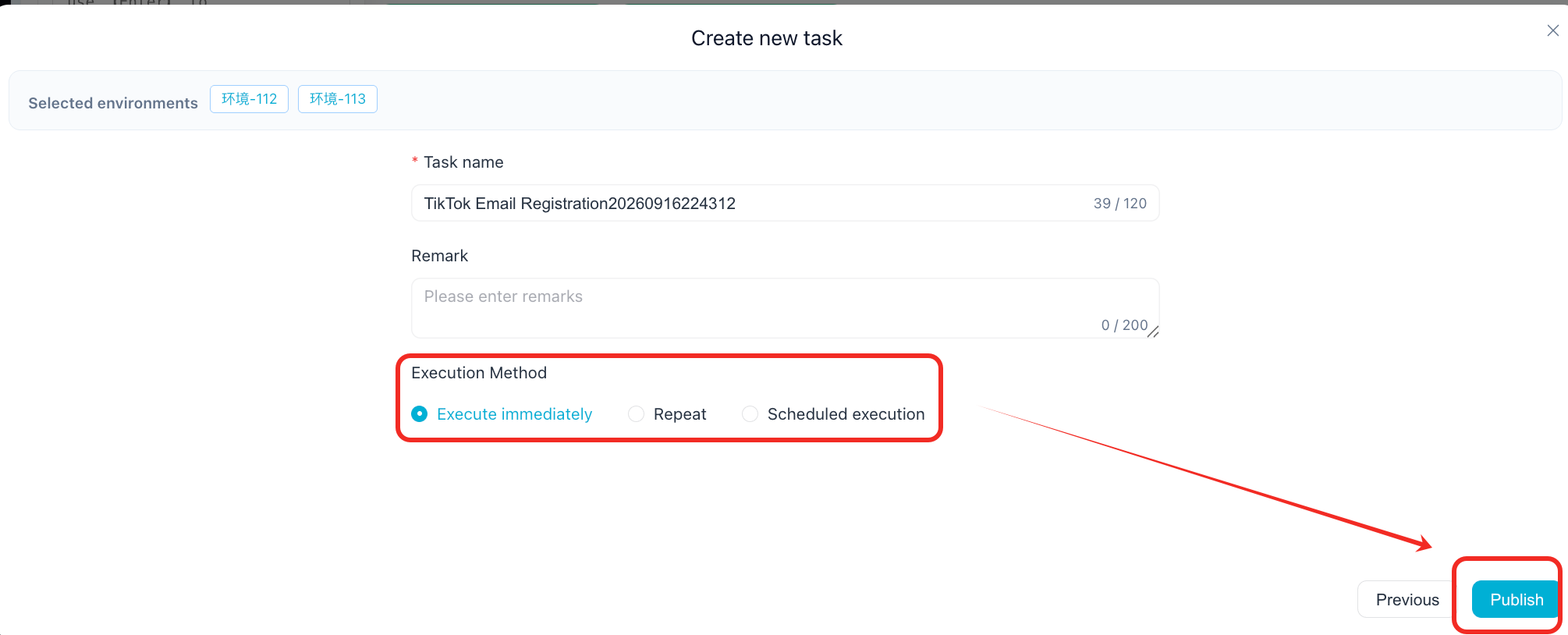
Click 【Next】 to start the registration process.
The system will automatically complete the TikTok account registration workflow based on the selected email account.
Step 3: Enable TikTok 2FA
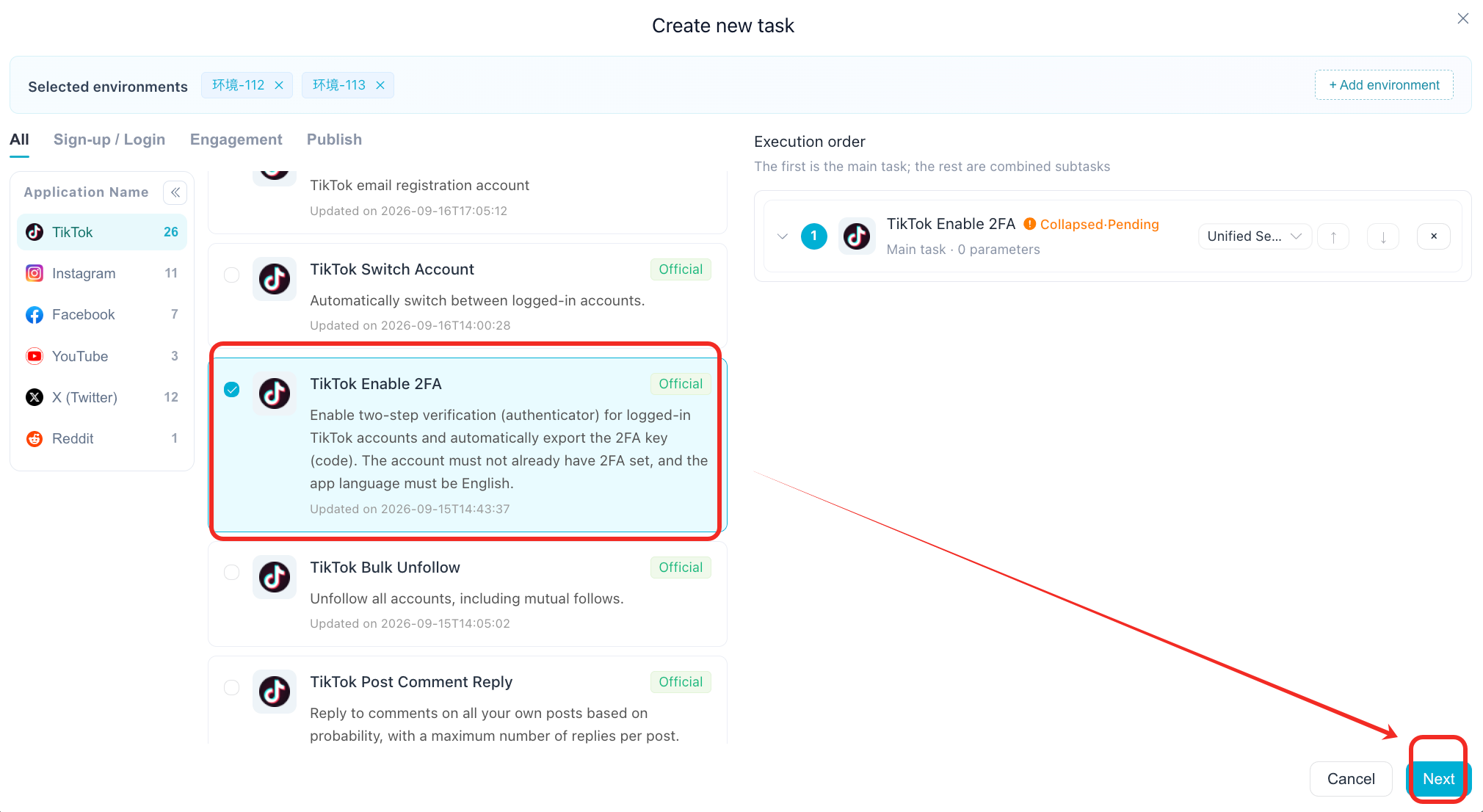
After the TikTok account has been successfully registered, run the TikTok Enable 2FA task separately.
Enabling 2FA helps ensure that the account can be automatically logged in and managed later.
Recommended workflow: Email Registration → Registration Completed → Enable 2FA → Account Ready for Management
Account Management
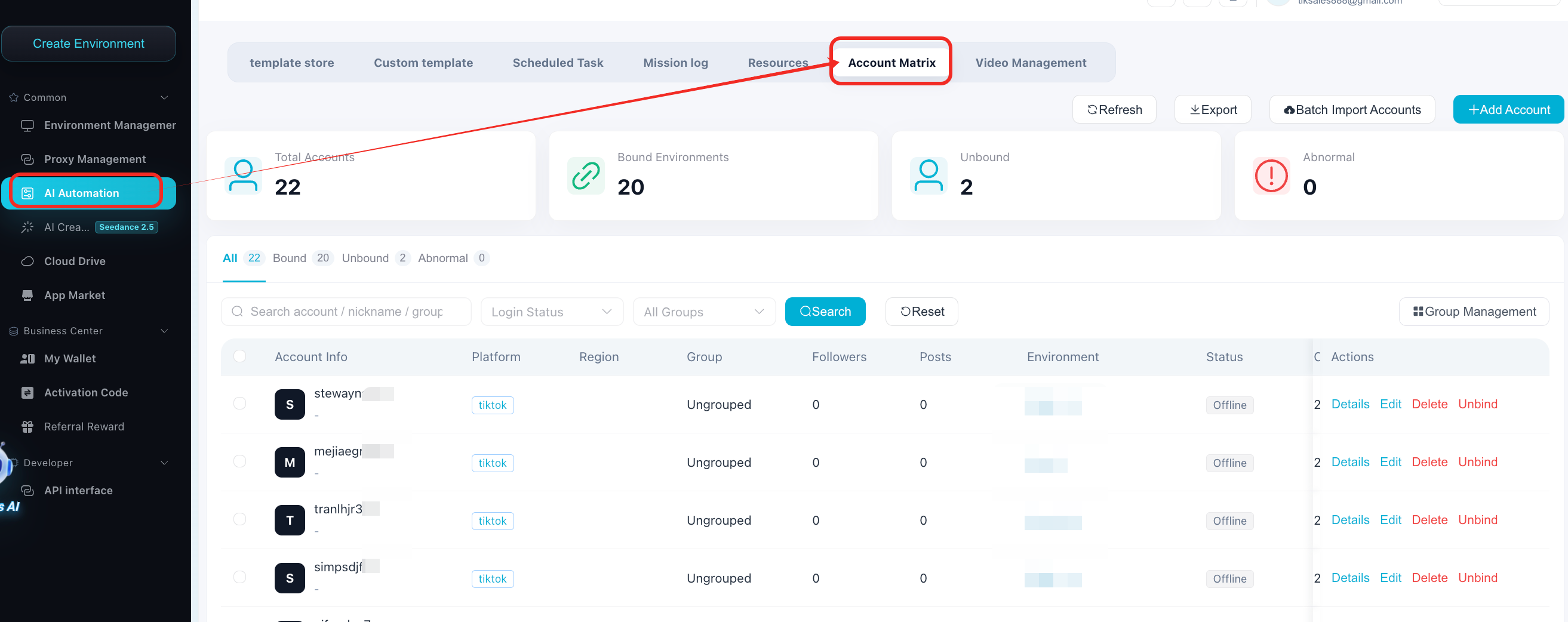
After registration is completed, the created TikTok accounts can be viewed in:【AI Automation】 → 【Account Matrix】
The Account Matrix page supports viewing and managing registered accounts, as well as exporting account information.
FAQ
1. What is the difference between phone registration and email registration?
Phone registration and email registration use different registration methods.
Currently, automatic phone registration supports US region only, while email registration has no country restriction.
For users who need to register accounts across different regions, email registration provides a more flexible registration method.
2. Which email type should I use?
Gmail is recommended.
When creating email registration tasks, select Gmail as the email type and then click 【Execute】 to start the registration process.
3. Do I need to configure a proxy before registration?
Yes.
Before running the registration task, make sure the selected environment has a proxy IP configured. Dynamic IP proxies are recommended.
For proxy configuration instructions, please refer to:
https://www.tiksales.net/help/how-to-bind-a-proxy-ip.html
4. Do I need to enable 2FA after registration?
Yes, it is recommended to run the TikTok Enable 2FA task after the account has been successfully registered.
This allows the system to complete the required 2FA configuration and helps support automatic login for subsequent account management.
5. Where can I view the registered accounts?
After registration is completed, go to:【AI Automation】 → 【Account Matrix】
You can view the registered TikTok accounts there and use the Export function to export account information.
6. Can I use email registration for different countries or regions?
Yes.
Unlike phone registration, which currently supports automatic registration for US phone numbers only, email registration does not have a country restriction.
7. Is there a fee for SMS verification?
Yes. SMS verification requires a fee. Please ensure that your wallet has sufficient balance before starting the registration task.
Important Notes
Before running the email registration task, please confirm:
✅ Environment is powered on
✅ Proxy IP has been configured
✅ TikTok app has been installed
During the registration process, please avoid:
Manually switching TikTok app pages
Modifying device environment settings
Changing the proxy IP
Interrupting the automation process
For task execution screens and task logs, please refer to:
https://www.tiksales.net/help/task-management-en.html