TikTok Phone Registration Guide
更新于 2026-07-16
Introduction
TikTok Phone Registration allows users to automatically complete the TikTok account registration process through an automated workflow. The system supports automatic phone number purchasing, SMS verification, and optional 2FA (Two-Factor Authentication) setup, improving the efficiency of bulk account creation.
Applicable scenarios:
- Bulk TikTok account registration
- TikTok matrix account setup
- Overseas account preparation
- Batch account management
Please follow this guide to complete the Proxy IP Configuration before registration: https://www.tiksales.net/help/how-to-bind-a-proxy-ip.html
Execution Methods
TikSales supports two ways to execute TikTok phone registration tasks:
Method 1: Execute from 【Environment Management】
Suitable for users who want to select specific environments and run registration tasks directly.
Steps:
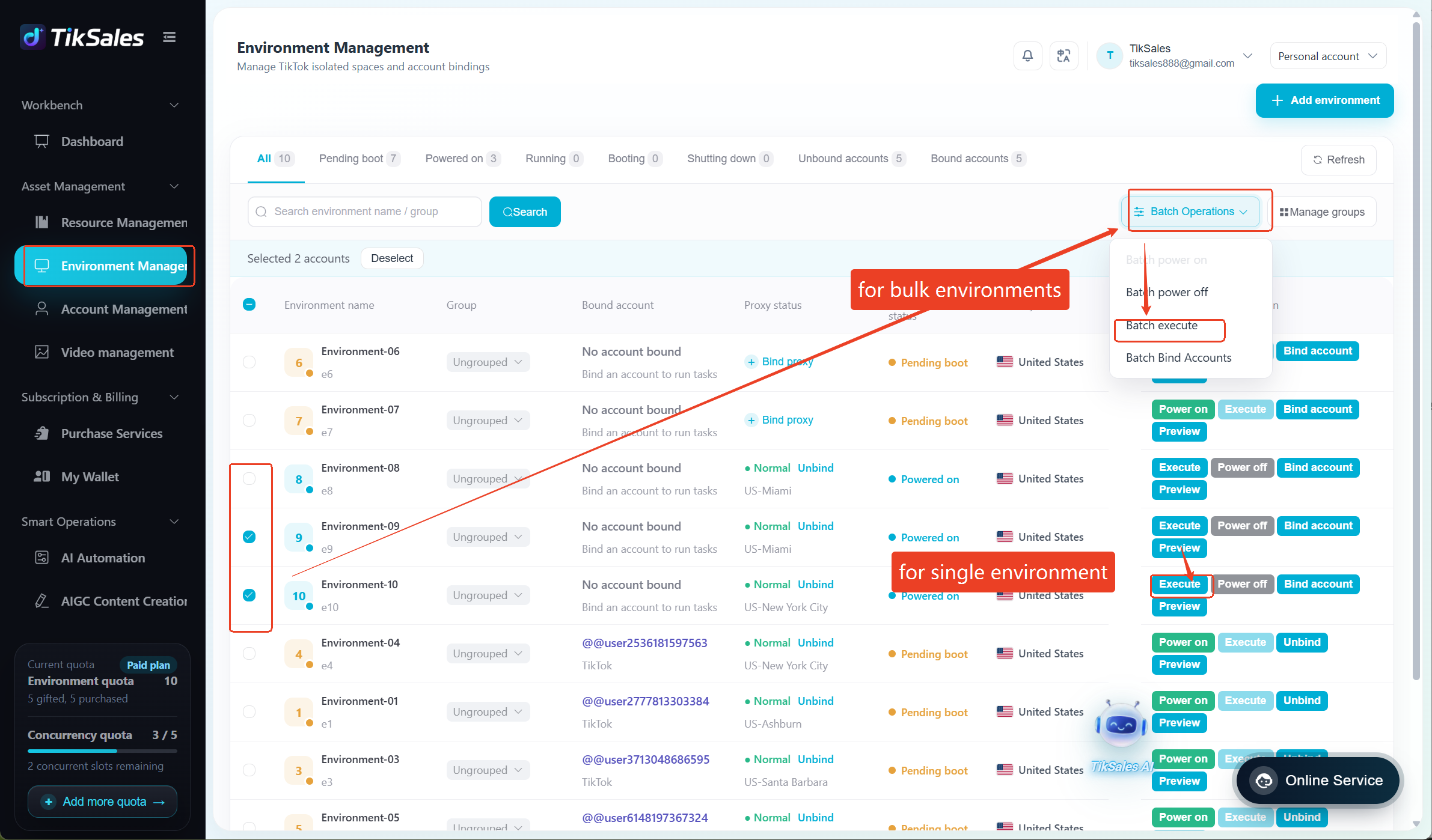
1. Go to 【Environment Management】 → Select the environment(s) to execute the task → Click 【Execute】 / 【Batch Execute】
Before execution, please confirm the environment meets the following requirements:
✅ Environment is powered on and has no TikTok account bound
✅ Proxy IP has been configured
✅ TikTok app has been installed
✅ App language is set to English
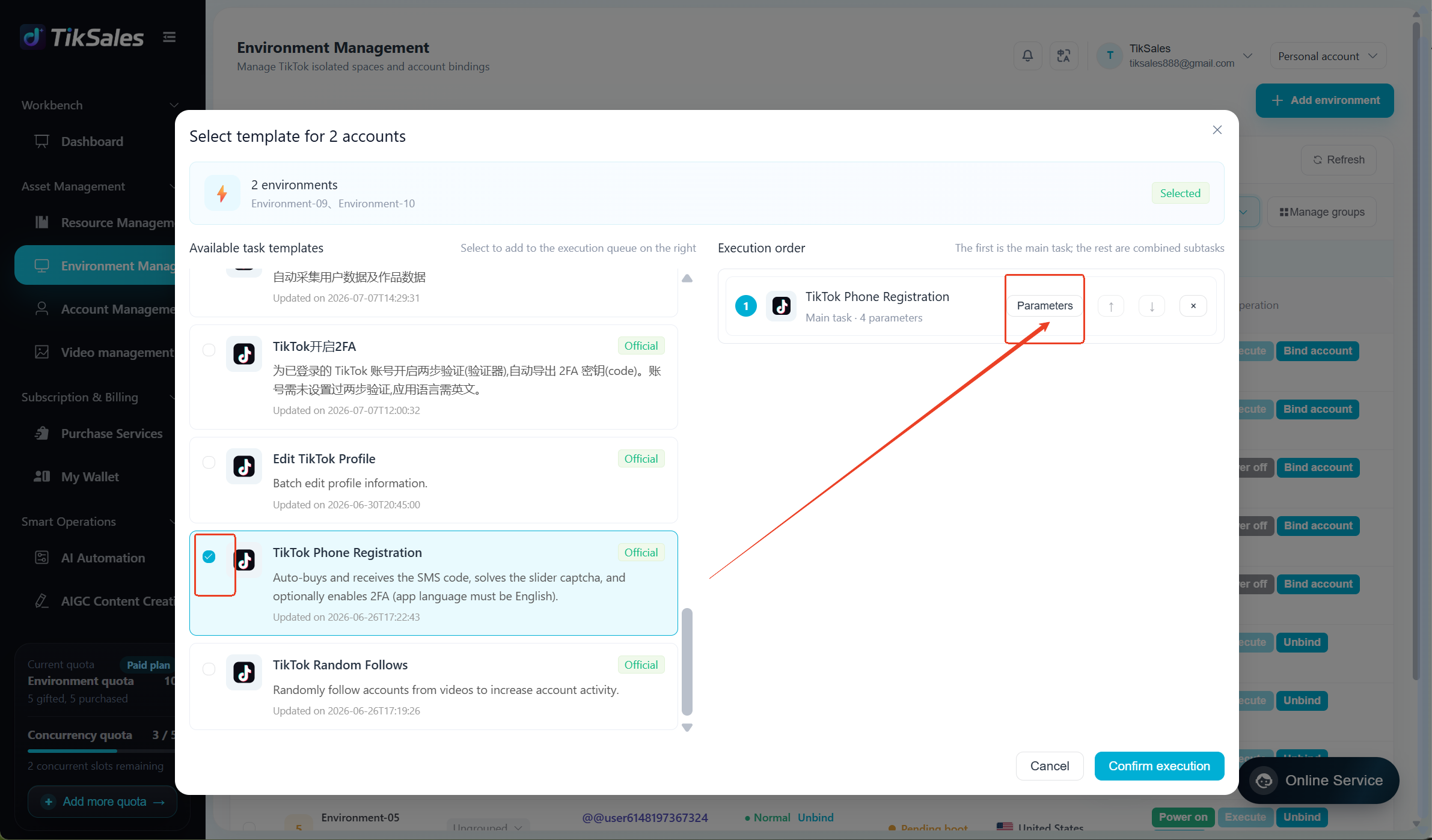
2. Select the task: TikTok Phone Registration
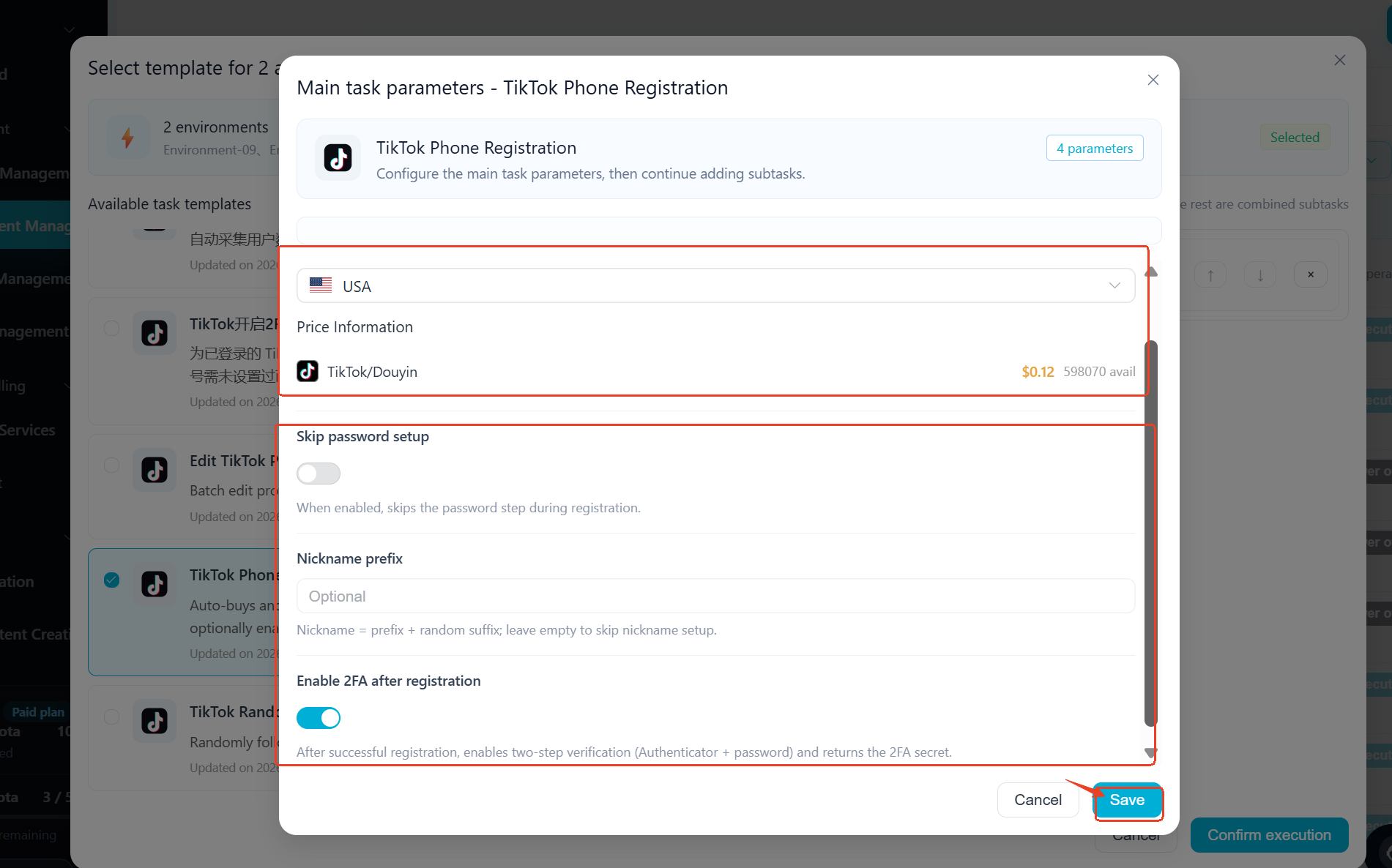
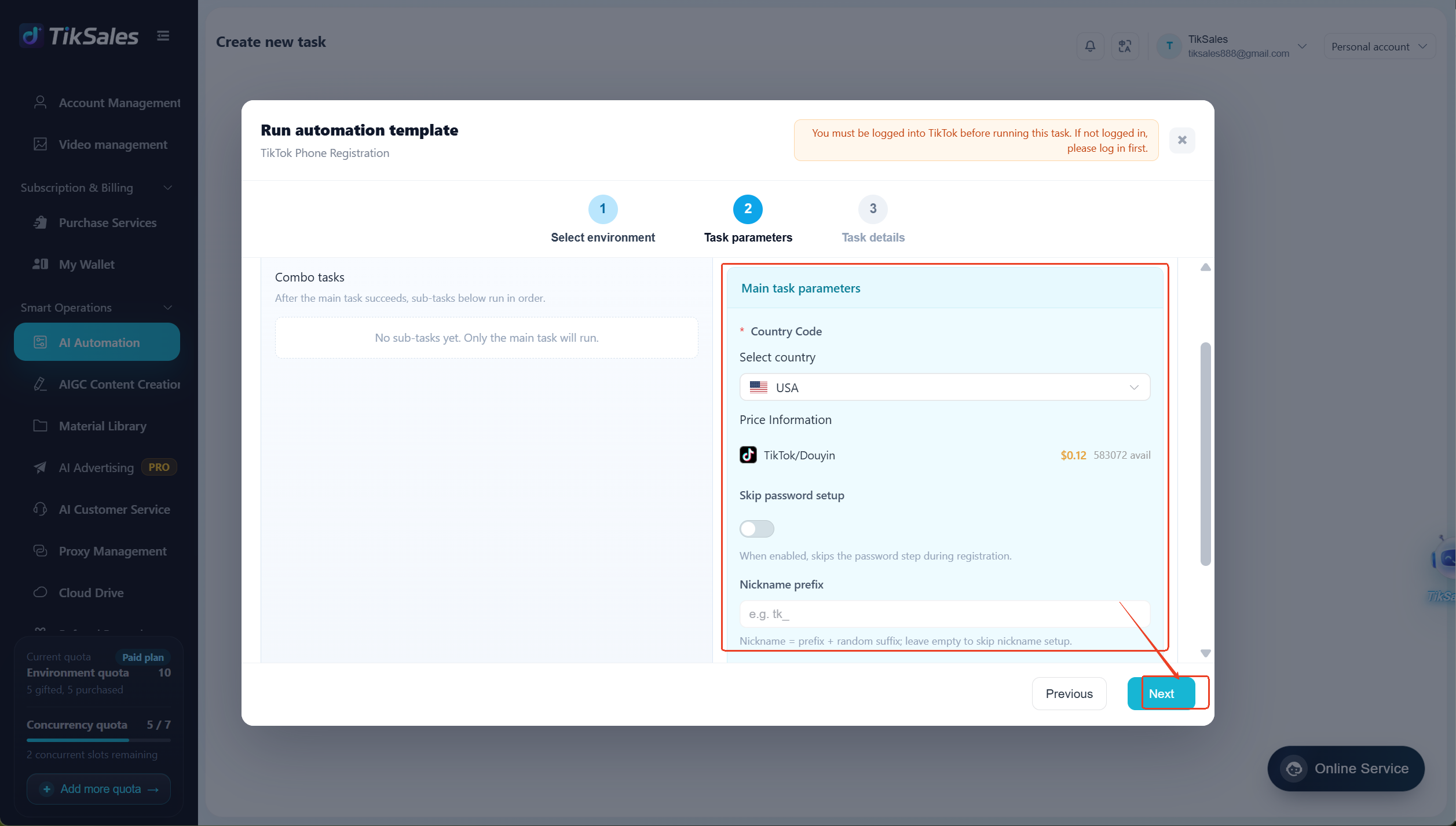
→ Select the phone numbercountry
(SMS verification fees vary by region. No charge will be applied if verification is unsuccessful.)
→ Choose whether to skip password setup and enable 2FA
→ Enter an account prefix (optional)
→ Click 【Confirm】
Method 2: Execute from 【Smart Operations】-【AI Automation】
Suitable for quickly creating automated registration tasks.
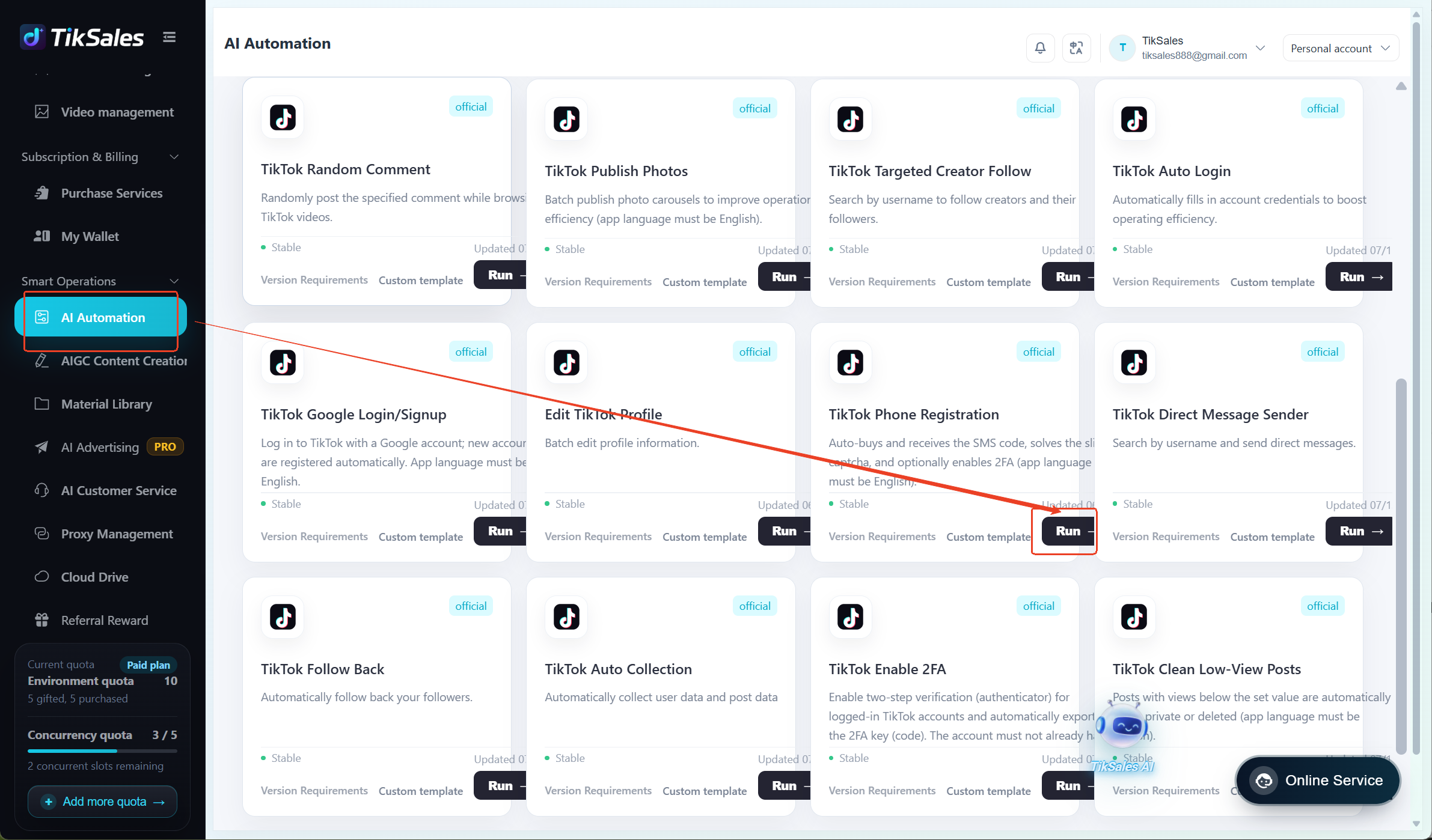
Steps:
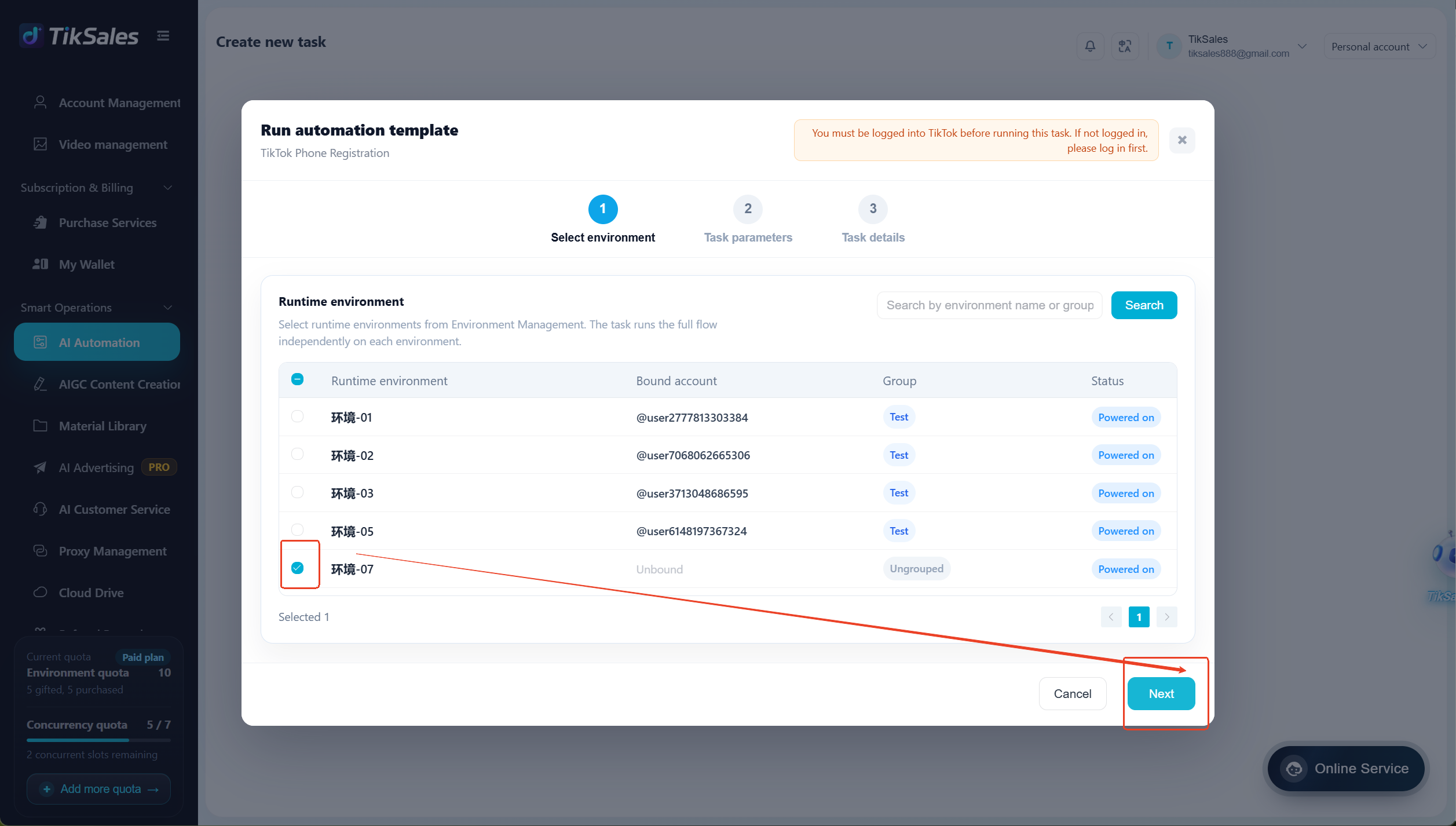
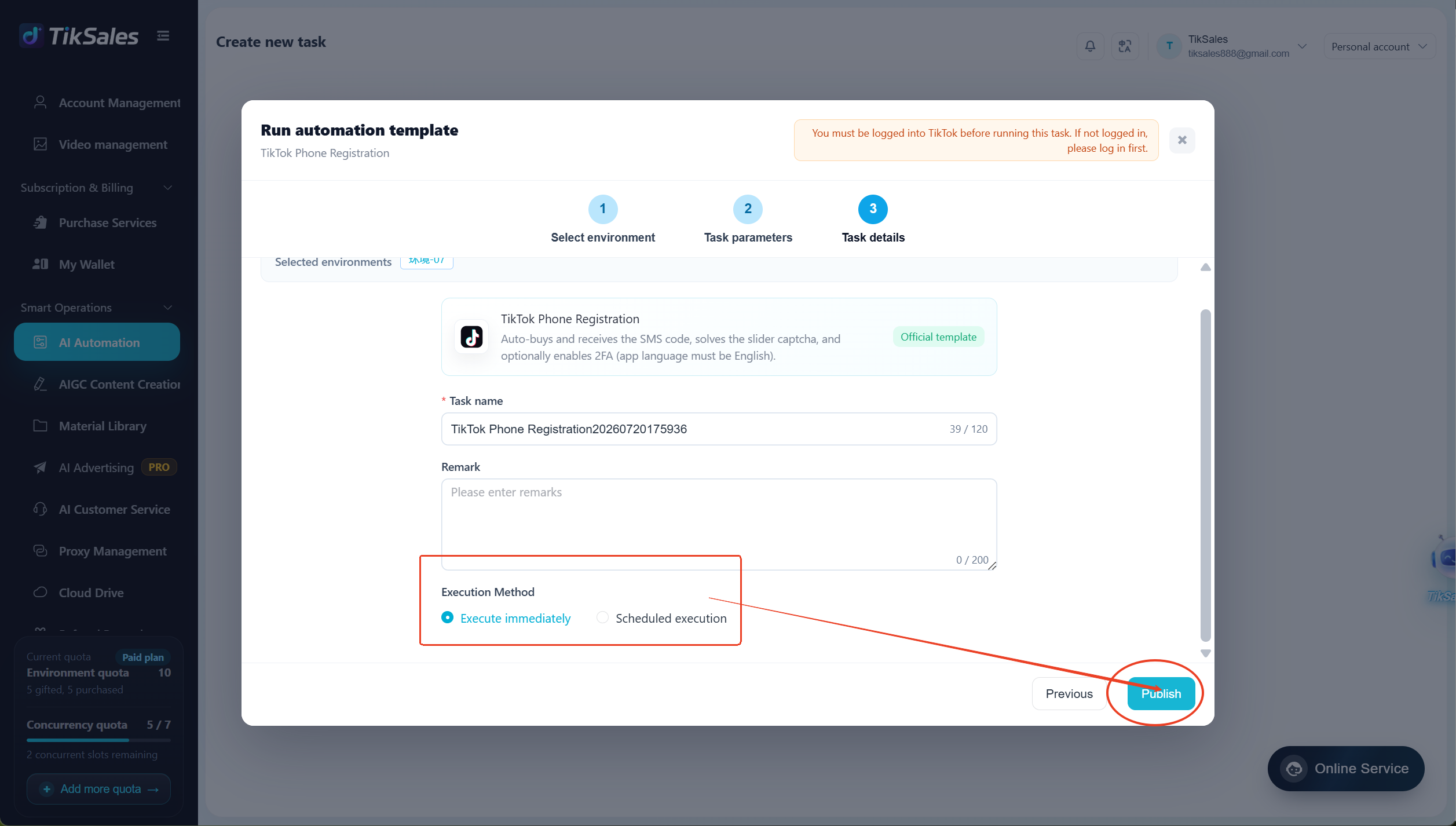
Go to 【Smart Operations】 - 【AI Automation】→ Select TikTok Phone Registration module → Click 【Run】 → Add execution environments → Configure registration parameters → Select execution mode (Run Immediately / Scheduled) → Click 【Publish】
Feature Details
1. Automatic Phone Number Purchase & SMS Verification
The system automatically purchases available phone numbers and completes the SMS verification process.
SMS verification fees are charged based on region.
No charge will be applied if SMS verification is unsuccessful.
2. Enable 2FA (Optional)
Users can choose whether to enable Two-Factor Authentication according to account security requirements.
Once enabled, the system will automatically complete the related configuration process.
Note:
❕️ Before enabling 2FA, please make sure the app language is set to English. Otherwise, the automation process may be affected.
Important Notes
1. Before running the task, please confirm:
✅ Environment is powered on
✅ Proxy IP has been configured
✅ TikTok app language is set to English
✅ Network connection is stable
❕️ Do not change the device language. The automation task requires the default English environment to run properly.
2. During the registration process, please avoid:
- Manually switching app pages
- Modifying device environment settings
- Changing proxy IP
- Interrupting the automation process
3. To view automation execution screens and task logs, please refer to:
https://www.tiksales.net/help/task-management-en.html