TikTok Random Likes Guide
更新于 2026-07-15
1. Feature Introduction
The TikTok Random Likes feature allows users to automatically perform TikTok account likes actions.
By setting the like probability, the system will automatically execute random like tasks based on the configured settings, helping improve daily account engagement efficiency.
Applicable Scenarios:
TikTok account warming
Daily interaction for account matrices
Automated operation of multiple accounts
2. Execution Methods
TikSales supports two entry points for executing TikTok Random Like tasks:
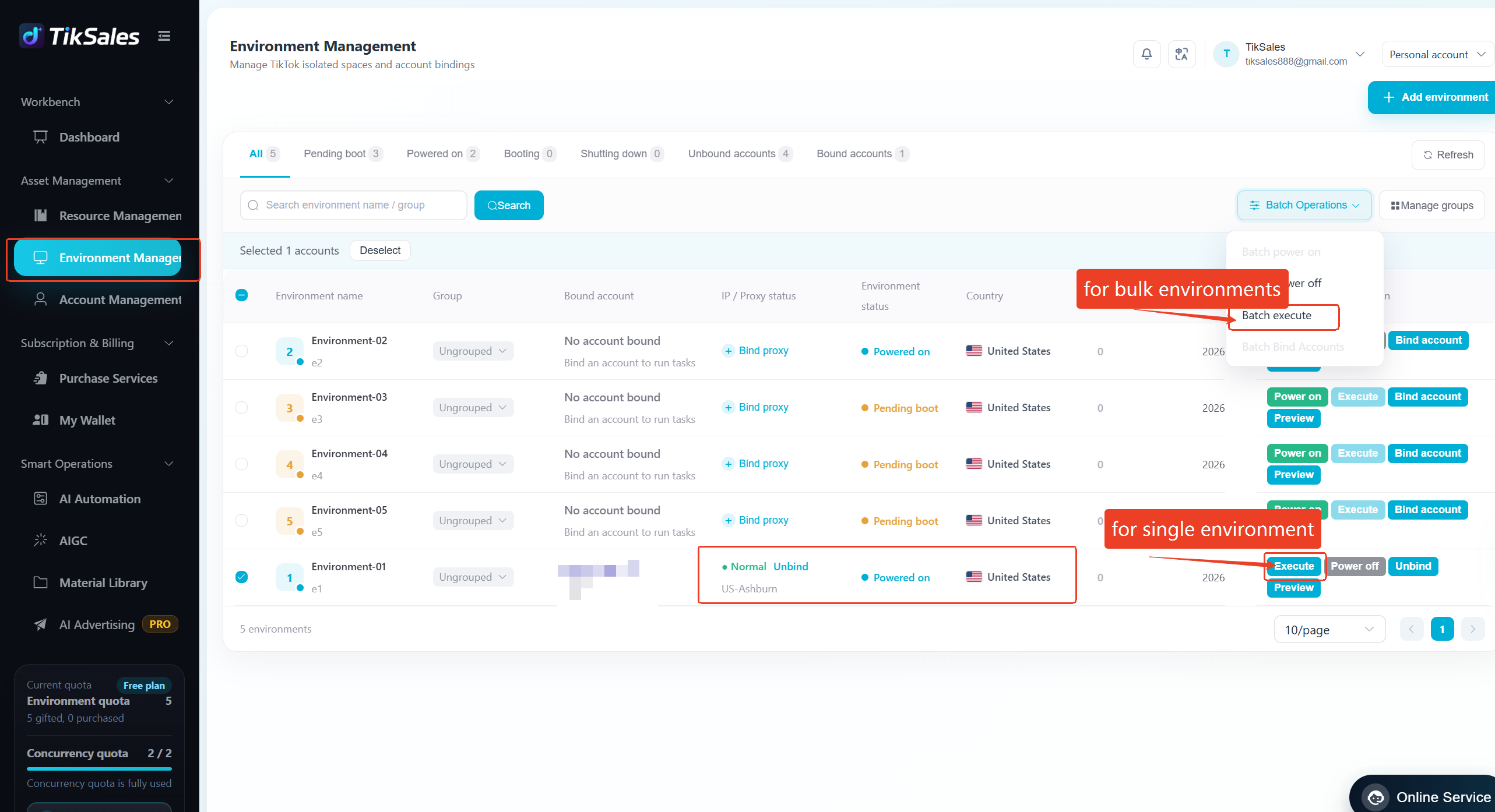
Method 1: Execute from 【Environment Management】
Suitable for: Directly selecting the specific account environments to run the task.
Operation Steps:
【Environment Management】 → Select the target environment (Confirm the environment meets the requirements: ✅ TikTok account bound and logged in ✅ Proxy IP configured ✅ Environment powered on) → Click 【Execute】or 【Batch Execute】
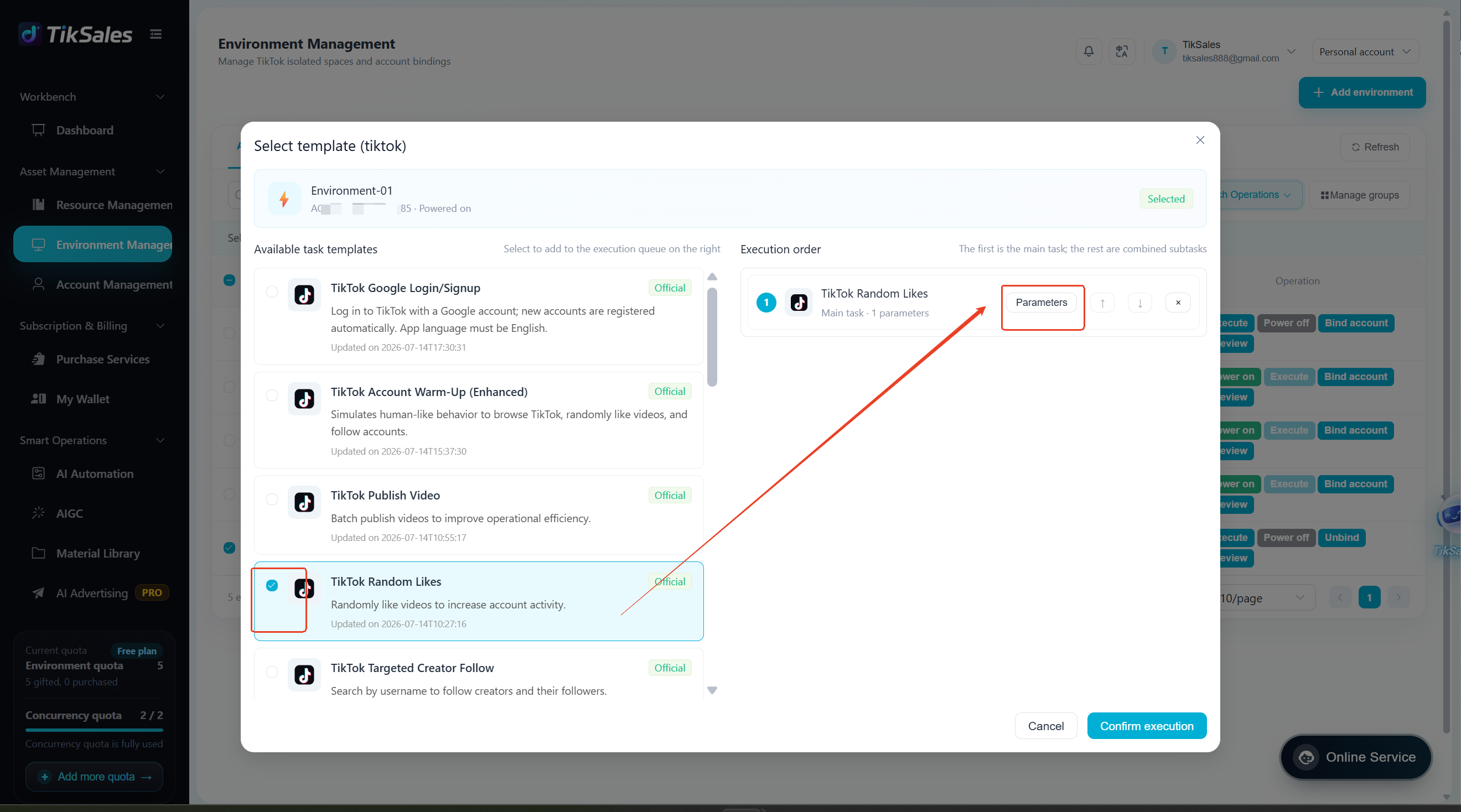
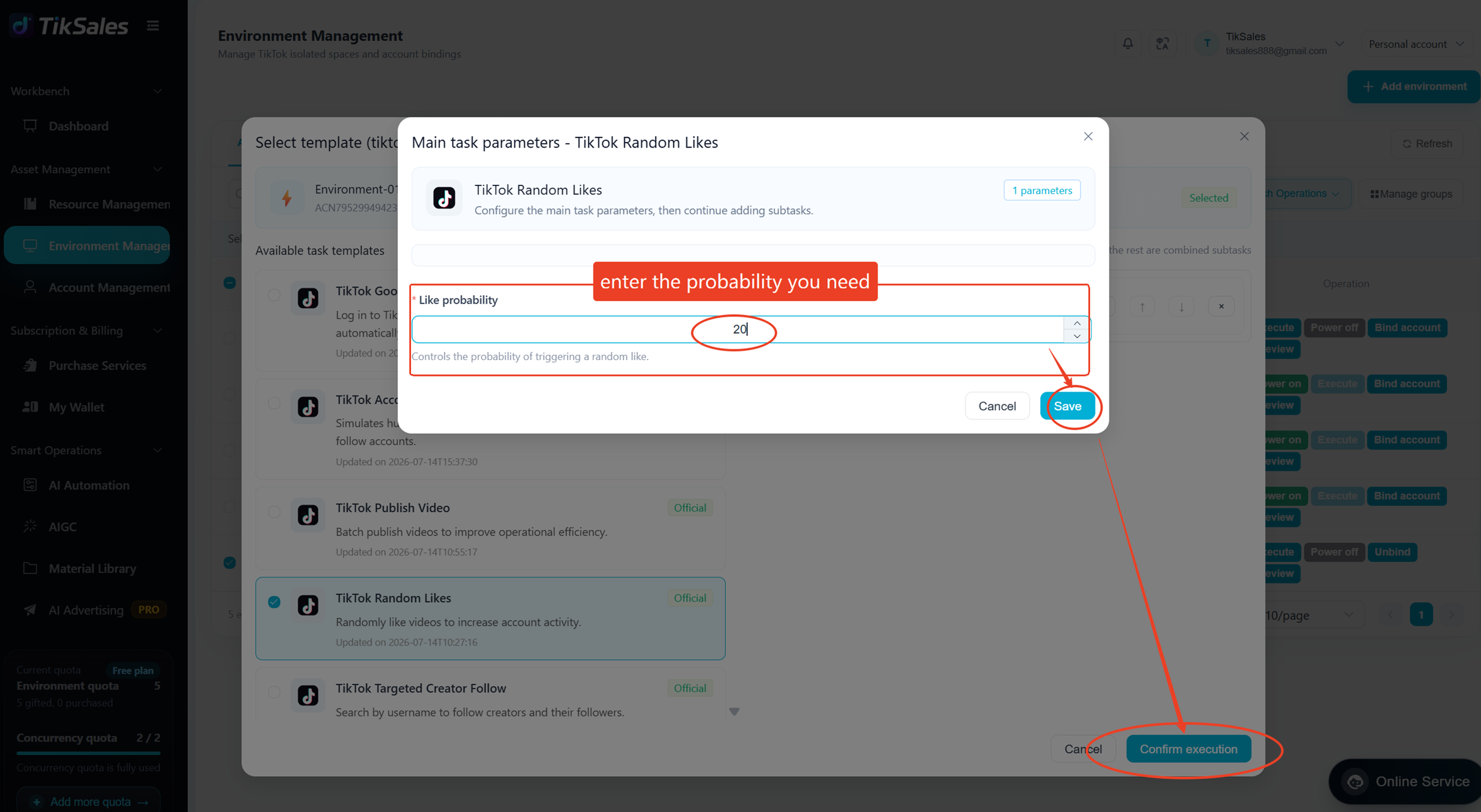
Select Task: TikTok Random Like → click【Parameter】→ Enter Like Probability→ Click 【Confirm Execute】
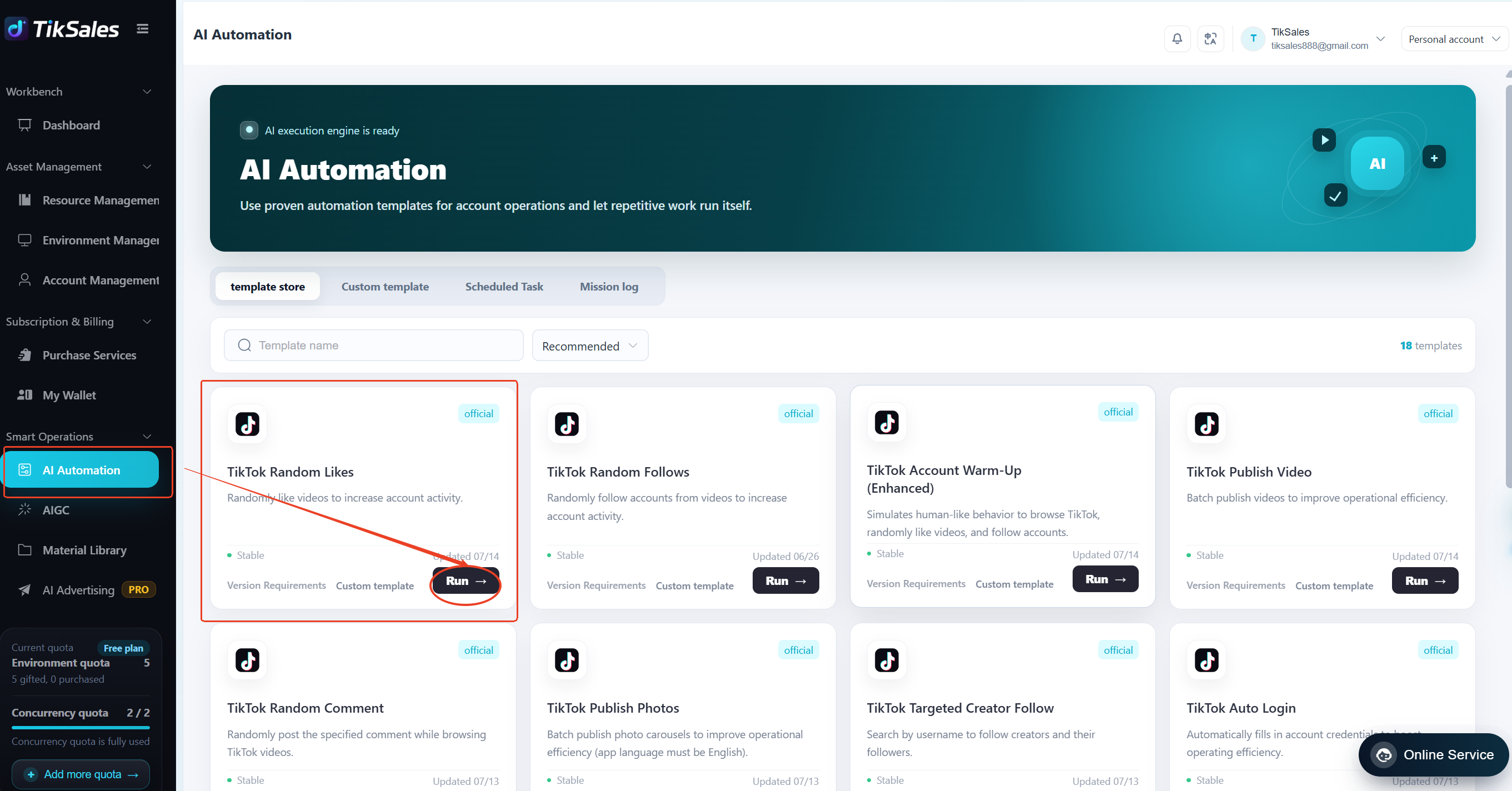
Method 2: Execute from 【Smart Operations - AI Automation】
Suitable for: Quickly creating automation tasks.
Operation Steps:
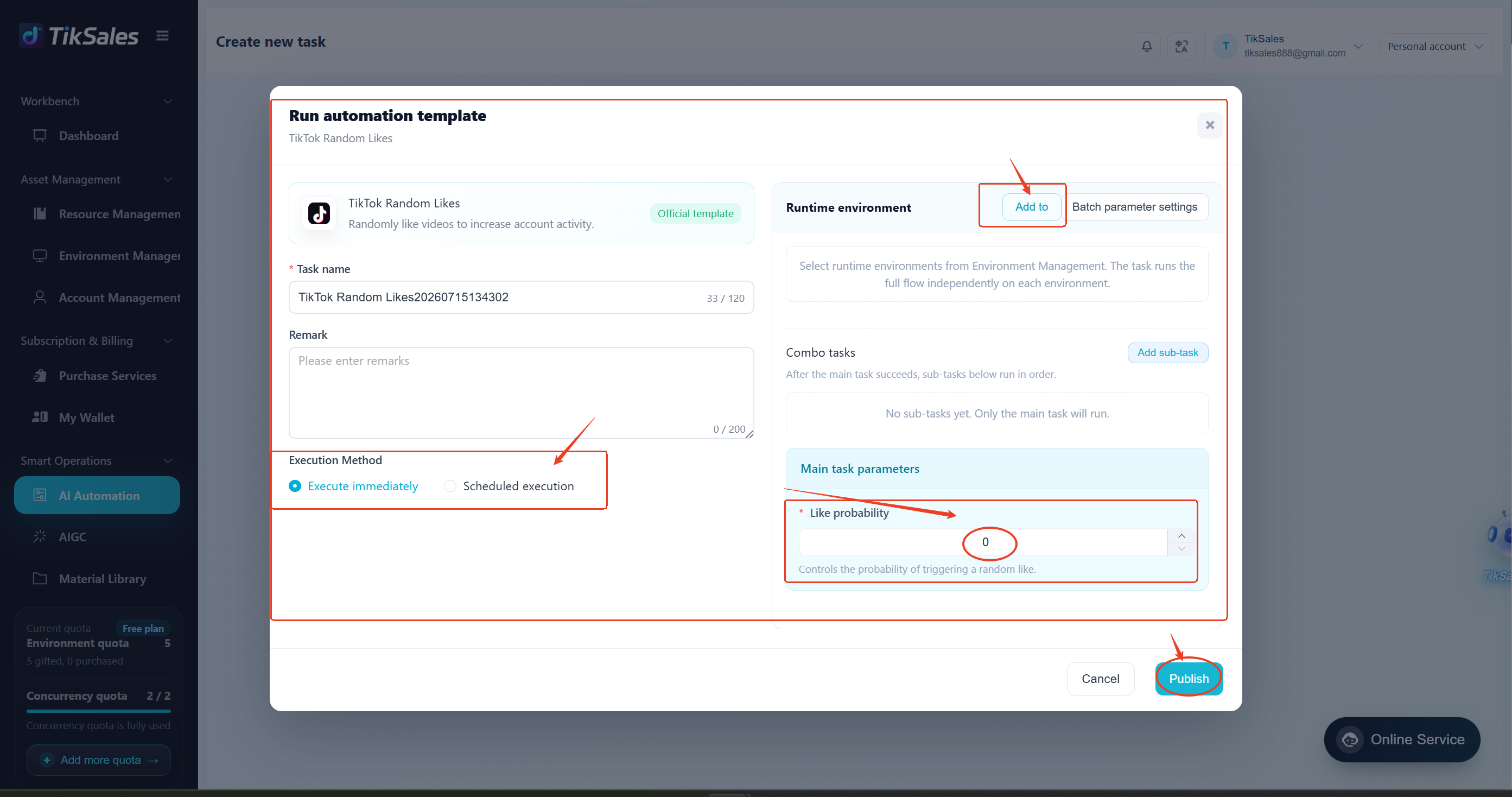
【Smart Operations - AI Automation】 → Select TikTok Random Like module → Click 【Run】
Add Runtime Environment → Fill in Like Probability Parameters → Confirm the Execution Method → Click 【Publish】
3. Important Notes
1.Before executing the task, please confirm:
✅ Environment is powered on
✅ TikTok account is bound and logged in
✅ Proxy IP is configured
2.To view real-time task execution status or task progress, please refer to this guide: Task Management Guide