Introduction
TikTok has become an important channel for content marketing, cross-border e-commerce, and international brand promotion. As businesses expand their presence on the platform, many teams are beginning to manage multiple TikTok accounts for different markets, content strategies, and business purposes.
However, operating multiple accounts is not simply a matter of increasing the number of profiles. Network stability, device environments, account organization, content management, and team collaboration can all influence the efficiency of daily operations.
When several accounts share an unsuitable network environment or frequently switch between unrelated IP addresses, teams may encounter connection interruptions, repeated verification requests, or unnecessary difficulties during account maintenance.
A more structured operating system can help reduce these management challenges. TikSales focuses on cloud-based device environments, account management, and operational workflows, while IPFLY provides residential proxy resources that can help businesses manage network access according to their target markets and usage requirements.
This guide explains how to combine TikSales with IPFLY residential proxies to build a more organized TikTok multi-account workflow. It focuses on proxy selection, network planning, environment management, troubleshooting, and long-term operational practices rather than repeating the detailed proxy configuration process already covered in the official TikSales documentation.
1. Why Network Environment Matters in TikTok Multi-Account Management
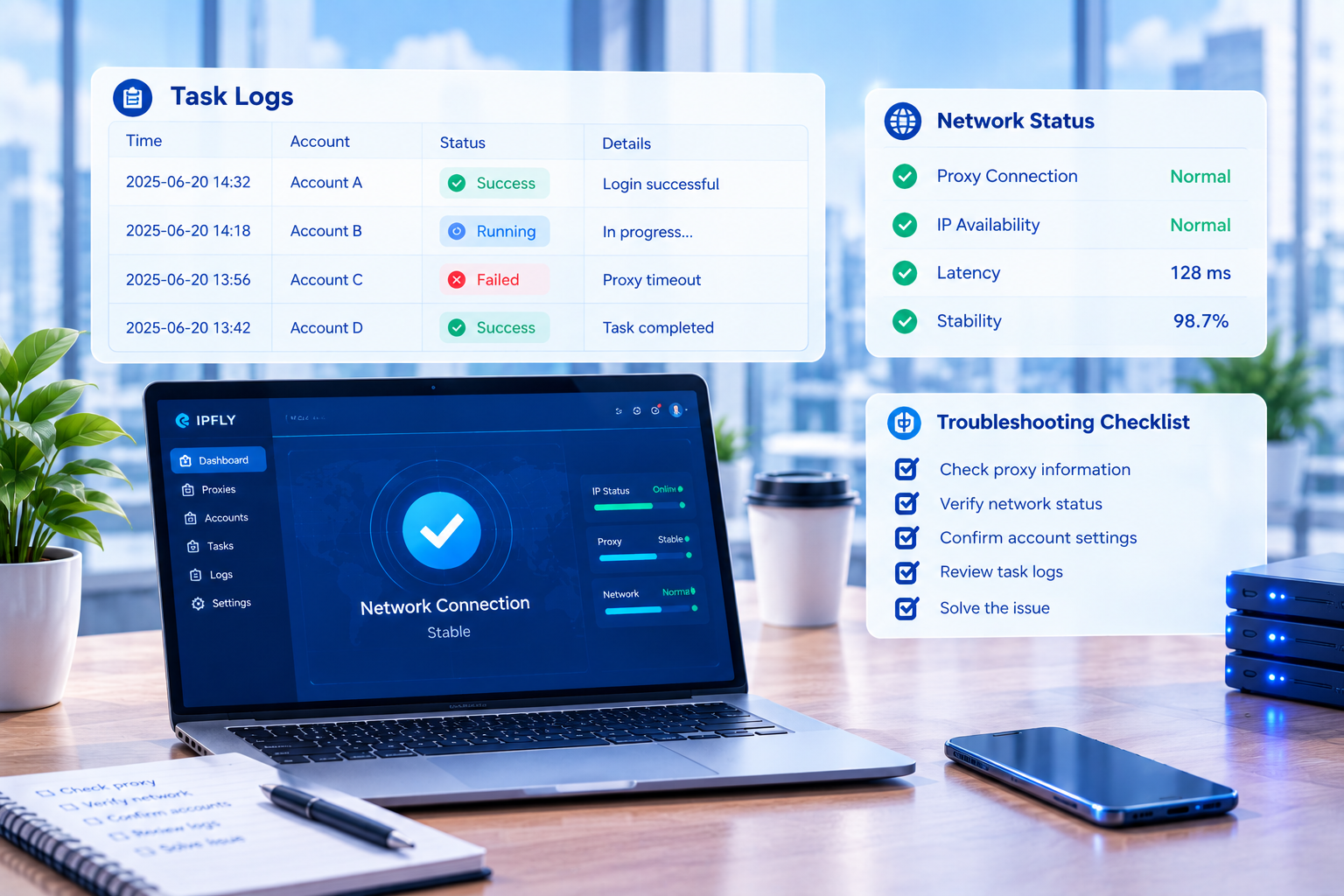
For a single TikTok account, a temporary network interruption may only affect a limited number of daily activities. In a multi-account environment, however, the same problem can affect several accounts at once, especially when they rely on the same network connection or operating environment.
A consistent and properly managed network environment can make daily account maintenance easier to organize. It can also help teams identify the source of problems when an account experiences an unexpected connection issue.
Several factors should be considered when planning a network environment for TikTok accounts.
Network consistency
Long-term accounts may benefit from using a relatively consistent network connection. Frequent and unnecessary changes in IP addresses can make account management more complicated and may lead to additional verification requirements.
A stable IP does not guarantee that an account will avoid restrictions or security checks. However, maintaining a predictable operating environment can reduce unnecessary changes and make troubleshooting more straightforward.
Geographic consistency
The location of a proxy should generally match the account’s actual business requirements and target market.
For example, a team operating a TikTok account for the United States market may consider using a United States residential IP. If the team manages accounts for several countries, it can organize proxy resources according to each market.
IP location is only one part of an account’s overall operating environment. Language, content, time zone, account information, and actual business activities should also remain reasonably consistent with the intended market.
Environment separation
Different accounts should be managed through clearly organized operating environments whenever possible. Assigning each account to a specific environment makes it easier to track account information, proxy resources, and operational activity.
Environment separation should not be viewed as a way to bypass platform policies. Instead, it is primarily a management practice that helps teams reduce confusion and maintain clearer operational records.
2. What Are Residential Proxies and Why Are They Useful?
A proxy server acts as an intermediary between a user’s device and the websites or online services the user accesses. When a connection is routed through a proxy, the destination service generally sees the proxy’s IP address rather than the user’s direct network address.
Residential proxies and data center proxies are two common types of proxy services.
Data center proxies are generally hosted on servers operated by data centers or cloud infrastructure providers. They can be useful for technical testing, data processing, and other tasks that prioritize deployment efficiency.
Residential proxies, on the other hand, use IP resources associated with residential internet connections. Their network characteristics are generally closer to those of ordinary home users, making them useful for certain location-based access, market research, advertising verification, and international business scenarios.
Residential proxies are not a guarantee of account safety or uninterrupted access. They do not replace responsible account management, high-quality content, or compliance with TikTok’s policies.
Their primary purpose is to provide another option for managing network access and geographic connectivity.
Static residential IPs and rotating residential proxies
Residential proxy services can also be divided into static residential IPs and rotating residential proxies.
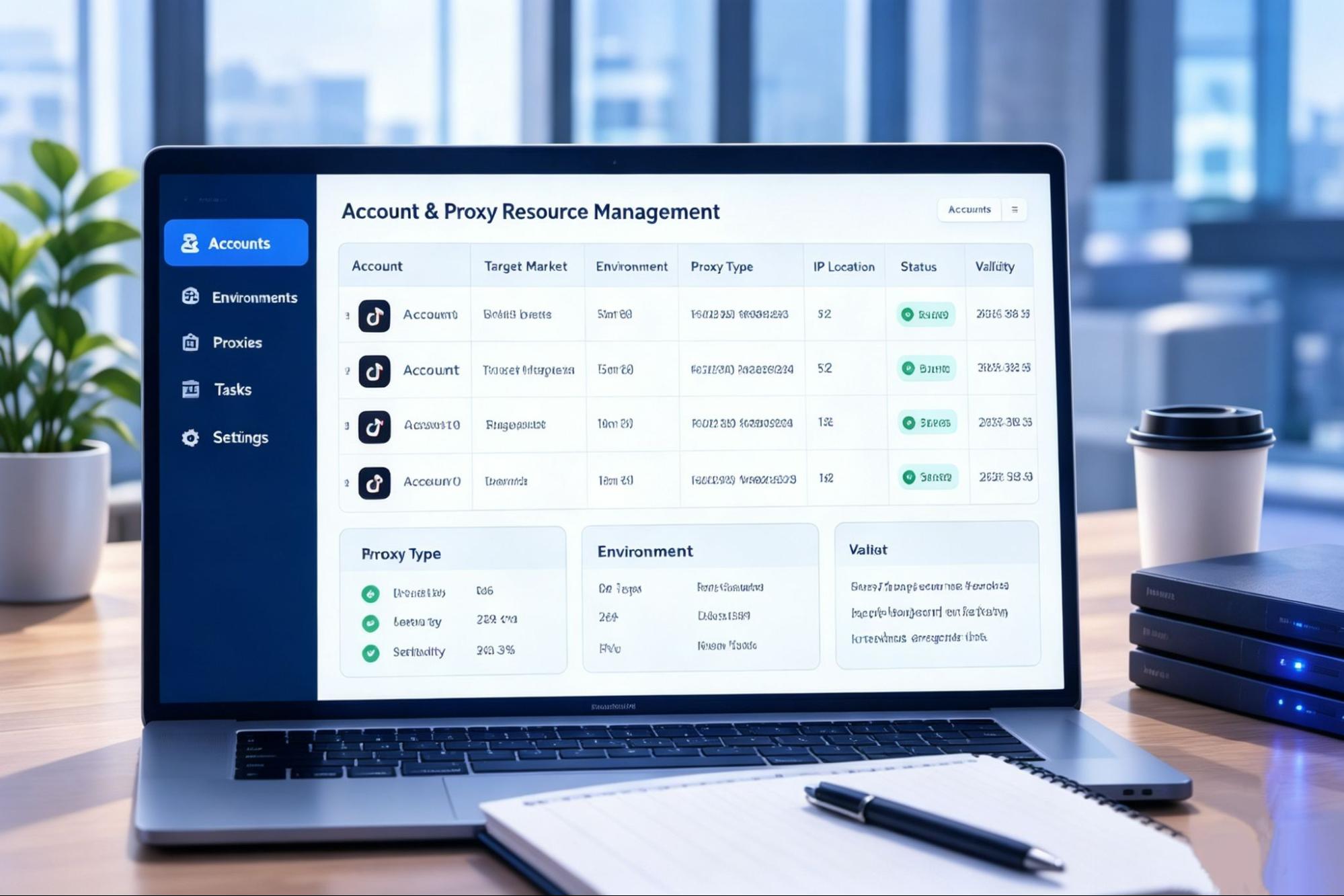
A static residential IP generally remains the same during the agreed usage period. This type of IP can be useful when a team needs a relatively consistent network exit for a long-term operating environment.
For example, a business may assign one static residential IP to a specific cloud environment and use it consistently for routine account maintenance. This makes it easier to establish a clear relationship between an account, its operating environment, and its network resource.
Rotating residential proxies change IP addresses according to the provider’s rotation rules, session settings, or connection requirements. They can be useful for market research, geographic testing, and short-term tasks that require access to different IP resources.
For long-term account management, frequent IP changes may create additional management complexity. For short-term testing or location-based research, however, a rotating residential proxy may offer greater flexibility.
The right choice depends on the account’s operating cycle and business requirements. Teams should consider the expected usage period, target location, session behavior, connection protocol, and overall network stability before selecting a proxy solution.
Businesses interested in a more consistent network environment can explore IPFLY static residential IP solutions and evaluate the available options according to their account structure and operational needs.
3. How to Plan Residential Proxies for Multiple TikTok Accounts
Selecting a proxy before defining the account structure can lead to unnecessary costs and management difficulties. A more practical approach is to first clarify the number of accounts, target markets, operating periods, and responsibilities within the team.
Match proxy locations with business requirements
The geographic location of a proxy should be selected according to the market the account is intended to serve.
For example, a business targeting customers in the United States may choose a United States residential IP, while a business managing European campaigns may require IP resources in specific European countries.
However, geographic consistency should not be limited to the proxy itself. Teams should also review account language, content topics, time zones, customer profiles, and business activities to ensure that the overall operating environment makes sense.
A proxy should support a legitimate business workflow rather than be used as the sole method of changing an account’s apparent location.
Choose the proxy type according to the account lifecycle
Different accounts may require different types of network resources.
Long-term accounts that require regular maintenance may be easier to manage with static residential IPs. A fixed IP allows teams to maintain clearer records and makes it easier to identify changes when a connection problem occurs.
Short-term market research, location testing, or temporary business activities may benefit from rotating residential proxies. In these cases, flexibility may be more important than maintaining one fixed network exit.
The decision should be based on the actual purpose of the account and the expected frequency of network changes.
Establish a clear account-to-environment relationship
Each account should ideally have a clearly documented relationship with its TikSales environment and assigned proxy.
A basic internal record may include the account identifier, target market, TikSales environment, proxy address, proxy type, expiration date, assigned team member, and any relevant incident history.
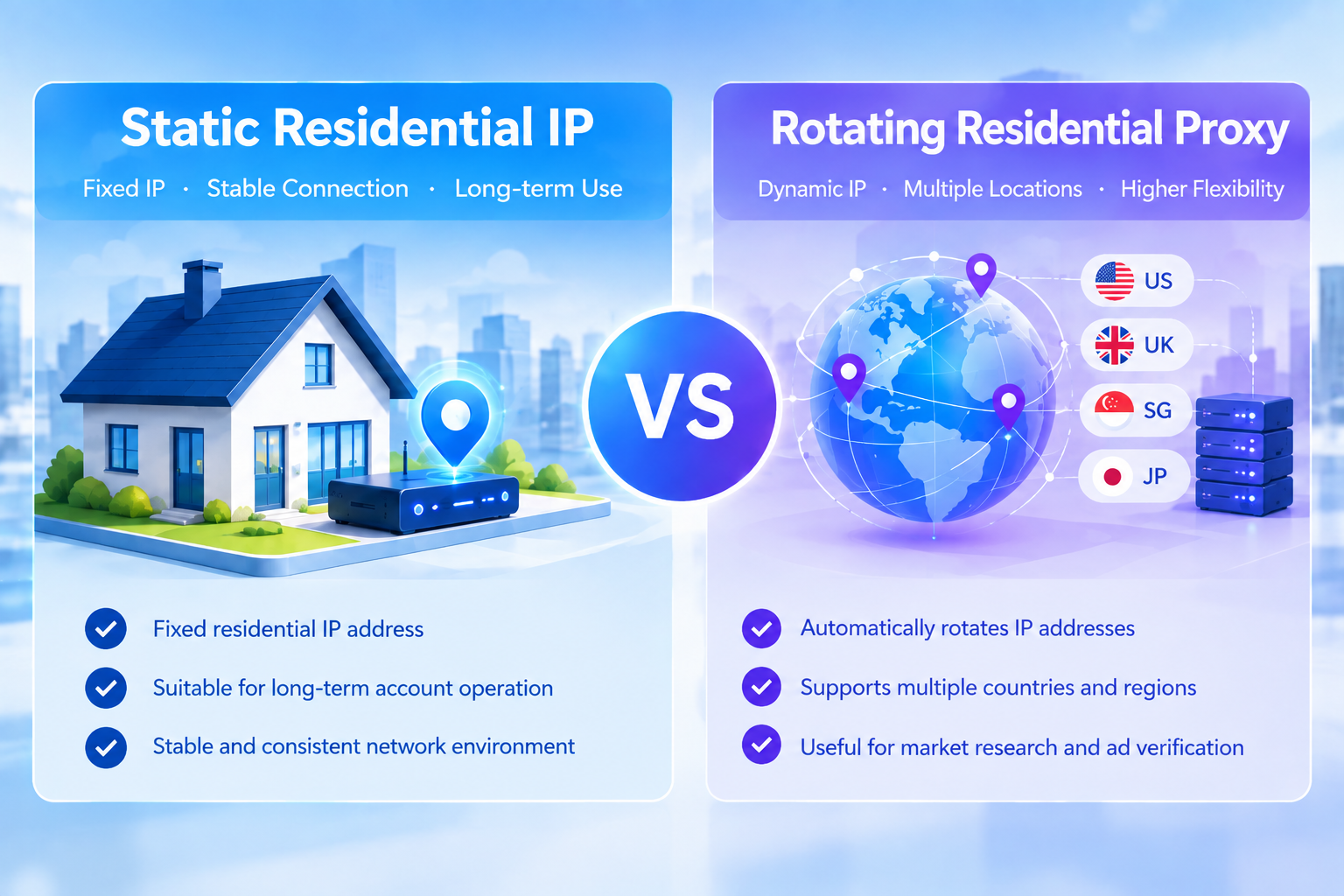
This type of record helps teams identify which network resource is being used by each account. It also makes it easier to replace an expired proxy or investigate a connection problem without disrupting unrelated accounts.
Test proxy quality before daily use
Before assigning a proxy to a regular operating environment, teams should verify several basic factors:
· Whether the IP location matches the expected market;
· Whether the proxy can connect successfully;
· Whether the connection protocol is supported;
· Whether the latency is suitable for daily activities;
· Whether the connection remains stable over time;
· Whether the proxy has any usage restrictions or expiration limits.
A low price or high advertised speed should not be the only basis for selecting a proxy. For long-term operations, stability, geographic relevance, and ease of management may be equally important.
4. Applying IPFLY Proxies to TikSales Operating Environments
TikSales provides tools for managing cloud-based device environments, TikTok accounts, and operational tasks. IPFLY provides proxy resources that can be selected according to a team’s geographic and network requirements.
Once a suitable IPFLY proxy has been selected, it can be added to TikSales and assigned to the relevant operating environment. The detailed process for adding, testing, and binding a third-party proxy is already covered in TikSales’ official documentation.
Before using a newly configured proxy for regular account operations, teams should confirm that the proxy is active, the detected location is appropriate, and the connection remains stable. It is also helpful to verify that the corresponding TikSales environment can start normally and access the required services.
For long-term accounts, teams should maintain a clear relationship between the TikTok account, the TikSales environment, and the assigned IPFLY proxy. If a proxy must be replaced, the reason for the change and the new proxy information should be recorded.
Proxy configuration is only one part of the operating process. Teams should also ensure that their account activities, content, and automated tasks comply with TikTok’s applicable rules and policies.
5. How TikSales Can Improve Multi-Account Efficiency
A residential proxy primarily manages the network exit, while TikSales focuses on the cloud environment, account organization, and operational workflow. Used together, the two services can help teams manage multiple accounts more systematically.
Organizing independent operating environments
When a business manages multiple accounts, assigning accounts to clearly organized cloud environments can reduce confusion.
Each environment can be associated with specific account information, proxy details, and operating responsibilities. This structure helps team members identify the correct environment before performing routine tasks.
It also makes it easier to isolate technical issues. If a problem occurs, the team can first review the status of the relevant environment and proxy rather than interrupting the operation of every account.
Managing repetitive tasks
As the number of accounts grows, repetitive activities such as account maintenance, content scheduling, and operational checks can consume considerable time.
TikSales provides account and task management features that can help teams organize recurring activities in one place. By managing tasks through a centralized workflow, teams can reduce repeated manual operations and improve visibility into task execution.
It is advisable to begin with tasks that are easy to monitor and verify. Before introducing more complex automation, teams should confirm that the relevant task settings, account permissions, and platform requirements are properly understood.
Automation should improve operational efficiency without replacing human review or responsible account management.
Keeping operational records
Proxy resources, account environments, and operational tasks should be documented together rather than managed separately.
A complete account record may include the account’s target market, assigned TikSales environment, current proxy, proxy expiration date, account manager, recent login information, and task history.
These records are particularly useful when a team expands, changes responsibilities, or needs to investigate an unexpected issue.
Clear documentation also helps prevent situations in which two team members unknowingly modify the same account environment or replace a proxy without informing other users.
Reviewing task logs
A failed task does not necessarily mean that an account has a problem. The cause may be related to the proxy, device environment, network connection, task settings, or temporary service interruptions.
When an issue occurs, teams should first review the relevant TikSales task logs and environment status. They can then check the proxy connection and configuration details to identify the most likely cause.
This approach is generally more efficient than repeatedly changing accounts, devices, or IP addresses without first identifying the source of the problem.
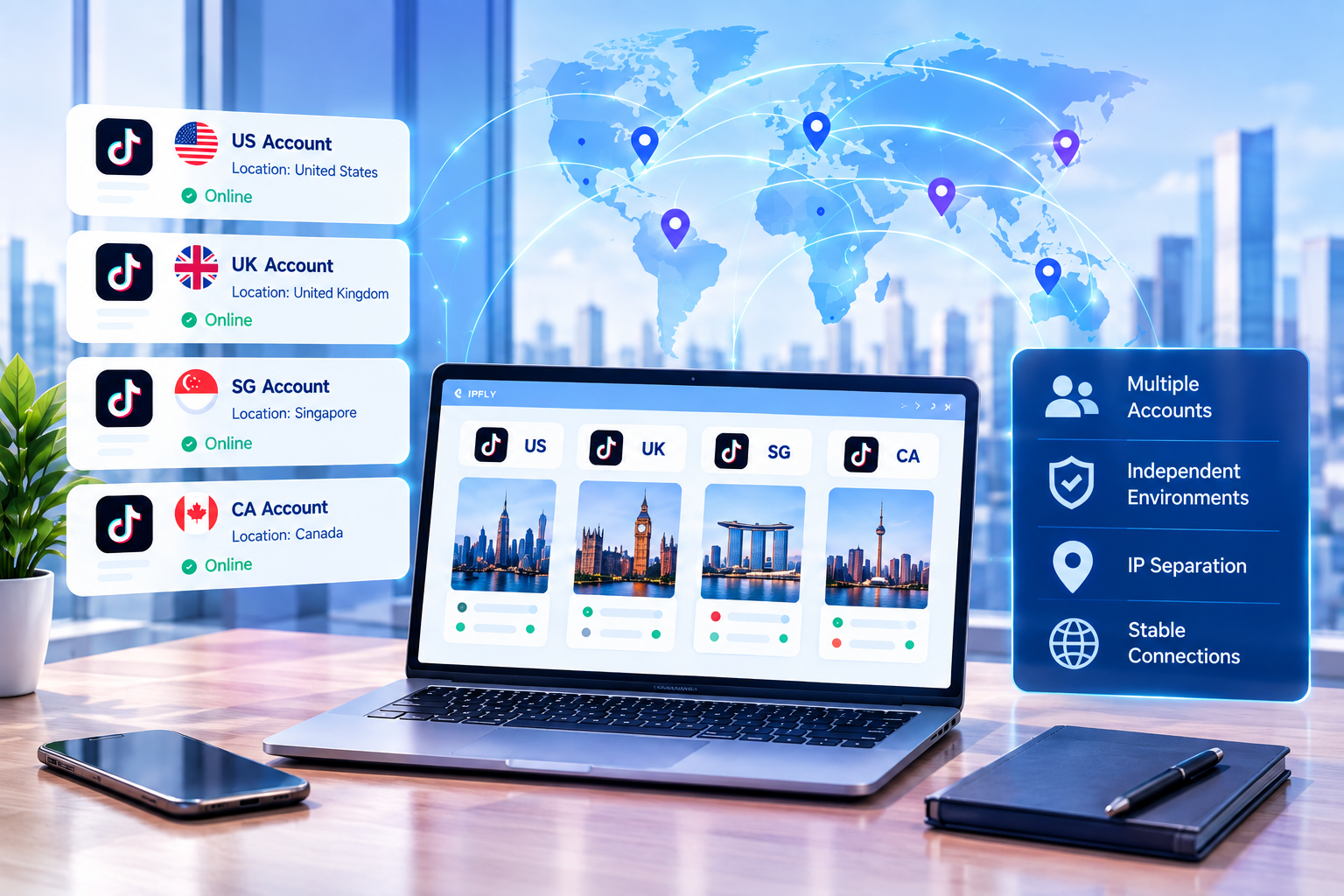
6. Common Proxy Problems and Troubleshooting Methods
The proxy cannot connect
If TikSales cannot connect to an IPFLY proxy, the first step is to check the proxy protocol, server address, port, username, and password.
Teams should also verify whether the proxy has expired, whether the account has sufficient service balance, and whether the proxy is subject to geographic or usage restrictions.
If the proxy appears to be active in the IPFLY control panel but still fails to connect through TikSales, it may be useful to test the same connection information in another compatible tool. This can help determine whether the issue is related to the proxy or to the TikSales configuration.
The detected location is incorrect
If the detected IP location does not match the expected location, check the product’s geographic definition and the IP detection service being used.
Different IP databases may update at different times, so location results can occasionally vary between detection tools. If the location is important to the business, the team should contact the proxy provider for clarification.
The connection is slow
Proxy performance can be affected by the geographic distance between the user and the proxy, network congestion, routing quality, the destination service, and the local network.
When a connection is slow, teams can test the proxy at different times and compare performance across available locations or connection options.
A single speed test does not always represent long-term performance. For daily operations, connection stability and consistency may be more important than the fastest result from one individual test.
The proxy disconnects frequently
Frequent disconnections may be caused by proxy expiration, authentication problems, unstable routing, session limitations, or an offline operating environment.
Teams should first confirm whether the proxy supports the required session duration. If a rotating residential proxy is being used, it is also important to understand its session and IP rotation rules.
For accounts that require a relatively consistent network exit, a static residential IP may be more suitable.
TikTok requests additional verification
Using a residential proxy does not guarantee that TikTok will never request additional verification.
Verification requests may be related to account history, device information, login activity, network changes, account behavior, or the platform’s security systems.
When verification occurs, teams should follow TikTok’s official procedures and review whether the account information, device environment, and network settings are consistent with the legitimate operating scenario.
A proxy should not be treated as a tool for bypassing platform verification, restrictions, or other security measures.
7. Building a More Sustainable TikTok Multi-Account Workflow
A sustainable multi-account workflow should not depend on a proxy service or an account management platform alone. It should combine network planning, environment organization, account maintenance, content management, and clear internal responsibilities.
During the preparation stage, teams should define the target market, content direction, account owner, operating environment, and proxy requirements for each account. The selected proxy should be tested before the account enters regular operation, and its location, protocol, expiration date, and current status should be recorded.
During daily operations, teams should maintain a relatively consistent relationship between each account, its TikSales environment, and its assigned proxy. Unnecessary changes to the network environment should be avoided, particularly for accounts that require long-term maintenance.
TikSales can be used to organize account environments and operational tasks, while IPFLY can provide proxy resources based on geographic and network requirements. Teams should regularly review task logs, environment status, proxy availability, and account activity.
When a problem occurs, the team should record the symptoms before making changes. Checking the proxy, device environment, account status, and task settings in a logical order can help reduce unnecessary disruptions.
As the team grows, it is useful to maintain a shared resource record covering account ownership, proxy allocation, environment information, expiration dates, and incident history. This allows new team members to understand the existing structure and helps prevent accidental changes to another account’s environment.
Businesses that require flexible access to different residential IP resources can also explore IPFLY’s residential proxy solutions and select the appropriate option according to their account lifecycle and operational requirements.
8. Understanding the Different Roles of TikSales and IPFLY
TikSales and IPFLY address different parts of a TikTok multi-account workflow.
TikSales focuses on cloud-based environments, account organization, task management, and operational efficiency. IPFLY focuses on providing proxy IP resources that can help teams manage network exits and geographic access according to their business needs.
These services should be viewed as complementary rather than interchangeable.
TikSales can help organize the operational side of a multi-account workflow, while IPFLY can support the network management component. When account information, device environments, proxy resources, and task records are managed together, teams can achieve a clearer and more manageable operating structure.
9. What to Review Before Starting Multi-Account Operations
Before beginning regular TikTok multi-account activities, teams should confirm that each account has an assigned TikSales environment and that the relevant proxy has been added and tested successfully.
The proxy location should match the intended business market, and the connection protocol and authentication details should be correct. The cloud environment should start normally, the network should remain stable, and the account should be able to access the required services.
Teams should also review account information, content plans, task settings, and platform requirements before increasing the scale of their operations.
For collaborative projects, account ownership, proxy allocation, environment information, and task responsibilities should be clearly documented. Proxy expiration dates and network issues should be monitored regularly to prevent avoidable interruptions.
Starting with a small number of well-organized accounts and gradually expanding the workflow can make it easier to identify technical issues and improve the overall operating process.
Conclusion
Successful TikTok multi-account management is not simply about increasing the number of accounts. It requires a structured system that combines stable network resources, organized device environments, clear account responsibilities, reliable task management, and responsible platform use.
TikSales can help teams manage cloud-based environments, TikTok accounts, and operational workflows, while IPFLY residential proxies provide flexible options for managing network exits and geographic access.
By selecting suitable proxy types, planning IP resources according to business requirements, maintaining clear account-to-environment relationships, and reviewing network and task performance regularly, teams can reduce unnecessary management difficulties and build a more consistent workflow.
Whether a business is testing its first few TikTok accounts or managing a larger account portfolio, it is generally more effective to establish a reliable foundation before expanding the number of accounts or introducing more complex automation.
A proxy is only one part of the overall operating system. The most sustainable results come from combining appropriate network planning with responsible account management, useful content, effective workflows, and compliance with TikTok’s applicable policies.