TikSales Activation Code Guide
更新于 2026-08-13
Activation codes are used to redeem TikSales monthly subscription devices. TikSales supports both single activation and bulk activation methods.
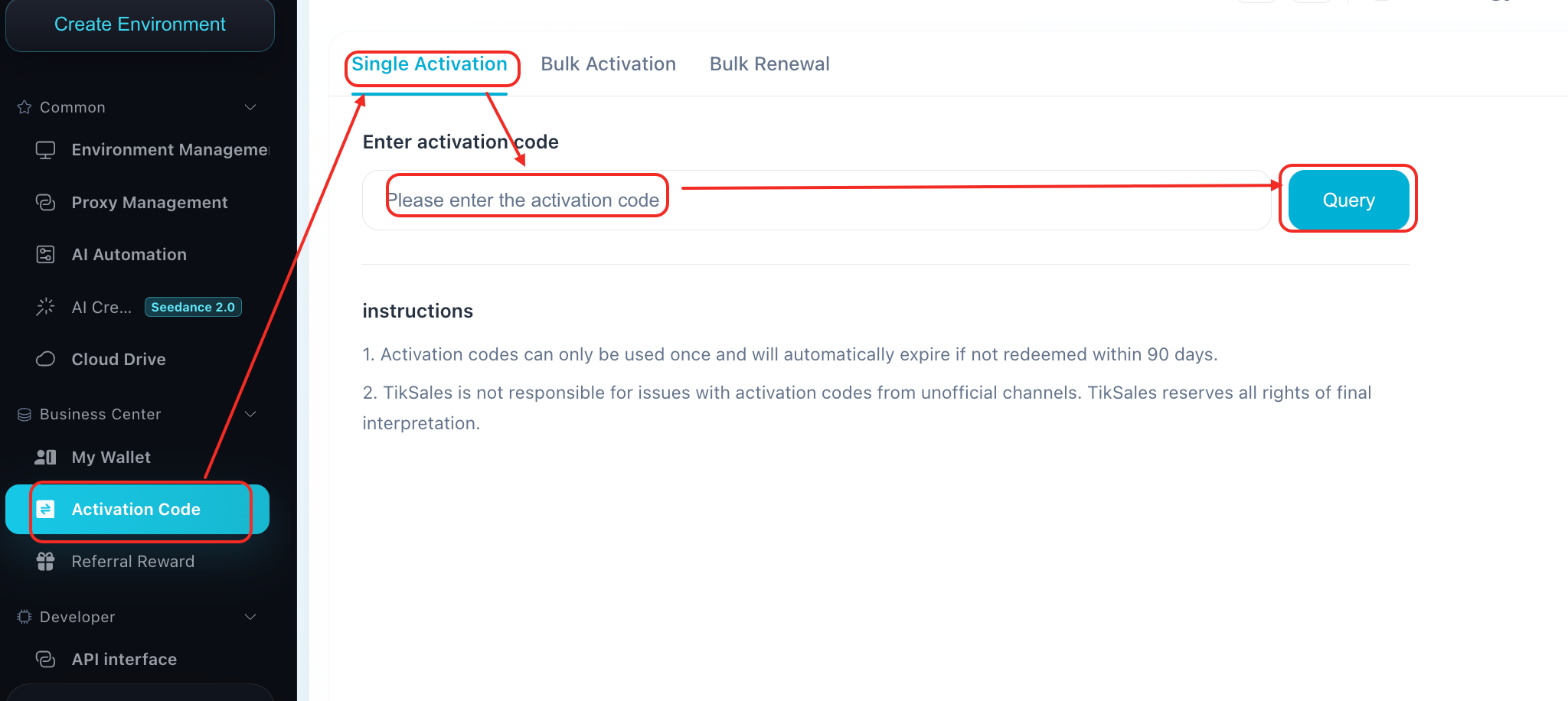
1. Single Activation Code Redemption
1.Log in to TikSales and go to: Business Center → Activation Code
2.Select: Single Activation/Renewal
3. Enter the activation code and click: Query
4.Confirm the information and complete the redemption.
2. Bulk Activation Code Redemption
This feature is designed for activating multiple environments at the same time.
Steps:
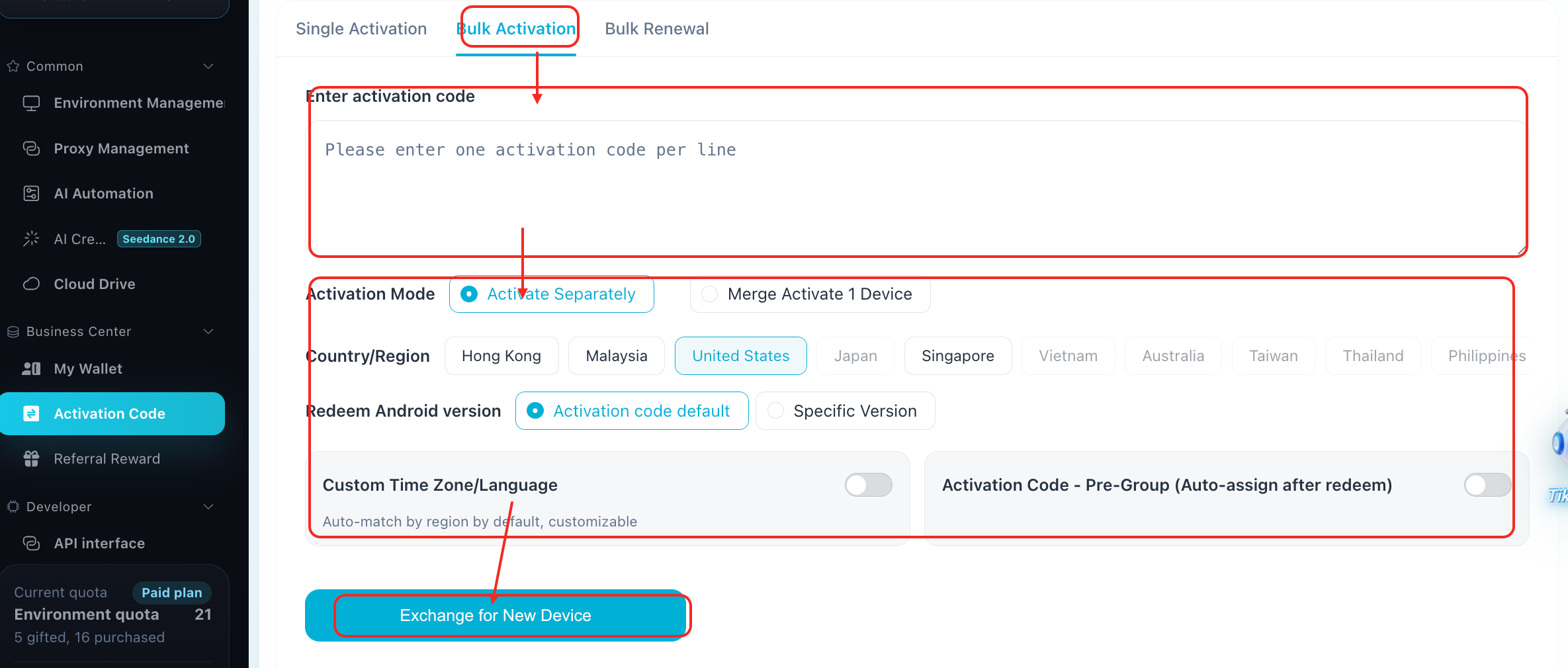
1.Go to:Business Center → Activation Code → Bulk Activation
2.Enter multiple activation codes in the input box: Enter one activation code per line
3.Select the activation mode:
Activate Multiple Devices Separately: Each activation code creates an independent environment
Merge Activation into One Device: Multiple activation codes are combined into a single environment
4.Configure options according to your requirements:
5.Country/Region
Android Version
Time Zone/Language Settings
6.Click: Redeem New Device
The bulk activation process will be completed automatically.
3. Bulk Renewal Guide
This feature allows multiple environments to be renewed at the same time.
Steps:
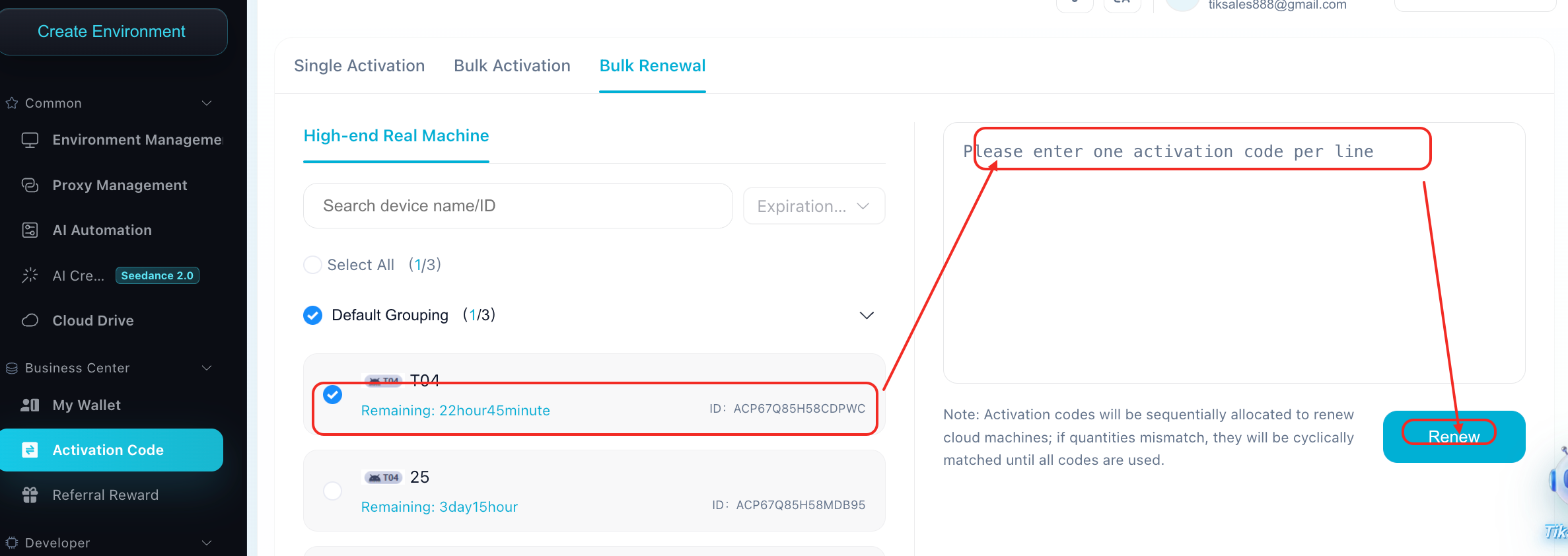
1.Go to: Business Center → Activation Code → Bulk Renewal
2.Select the devices that need renewal:
Select All Devices
Default Group Devices
Specific Devices
3.Enter activation codes:
Enter one activation code per line
The system will automatically match activation codes based on the number of devices selected
4.Click: Renew
The bulk renewal process will be completed.
4. Notes
- Each activation code can only be used once. Activation codes will automatically expire if they are not redeemed within 180 days.
- Please make sure your activation code comes from an official and reliable source.
- Once activated, the activation code cannot be redeemed again. If activation fails, please check whether the code was entered correctly or has already been used.
After activation, you can go to Environment Management to view your activated monthly subscription device environments.