How to Bind and Log in to a TikTok Account?
更新于 2026-07-23
1. Add a TikTok Account
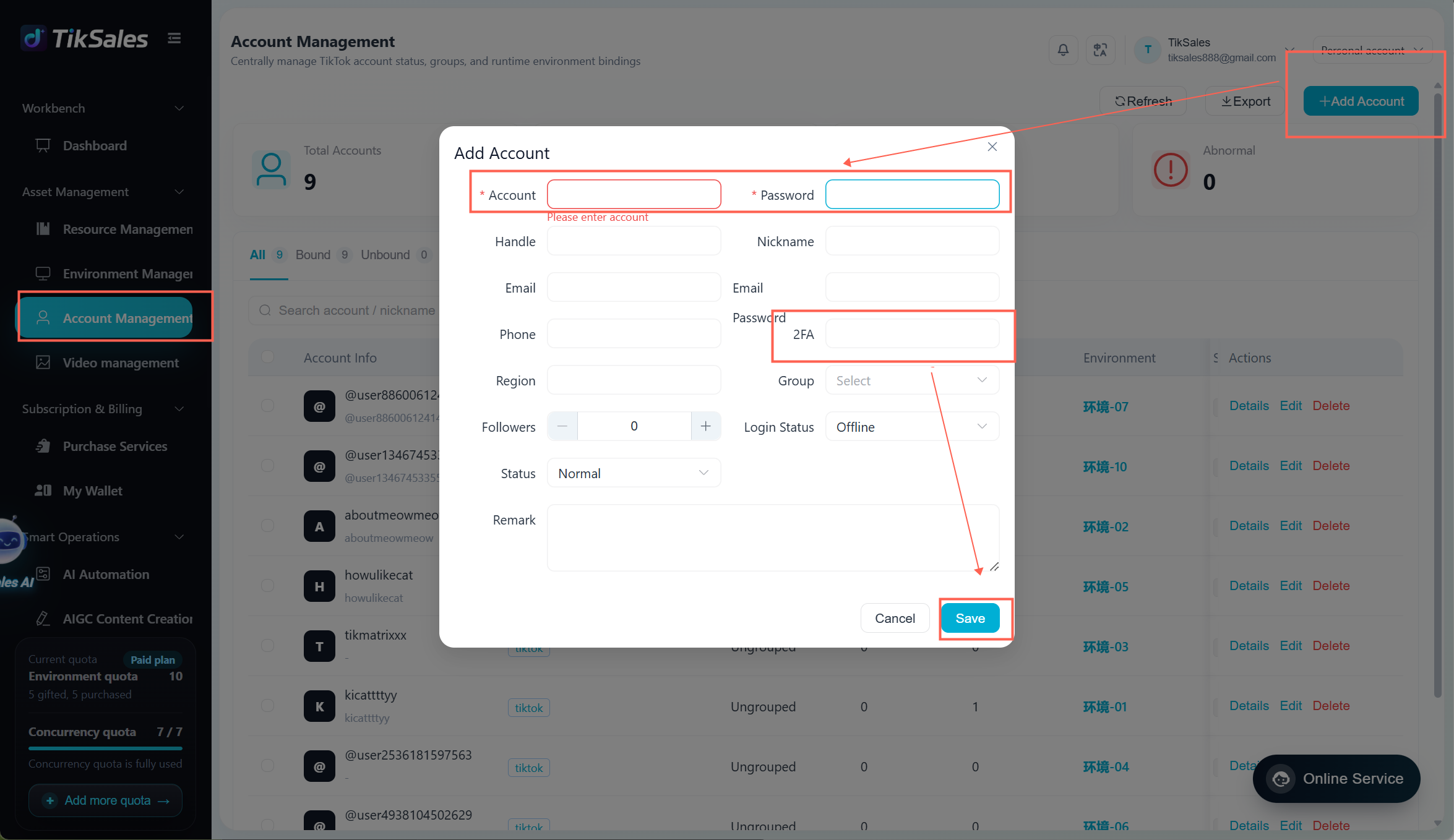
Go to:【Account Management】 → 【Add Account】
Enter:
TikTok account
Password
2FA (required if you need to run automatic login tasks)
Click Save to complete the setup.
Note:
Accounts without 2FA cannot use the automatic login function and must be logged in manually.
2. Bind the Account to an Environment
A TikTok account must be bound to the corresponding operating environment.
Go to:【Environment Management】 → 【Power On】 → 【Bind Account】
Select the TikTok account you want to bind.
Before binding, please make sure:
✅ The environment is configured with a proxy IP from the corresponding region
✅ The IP status is normal
✅ Each account is assigned to only one environment
Proxy IP configuration guide:
https://www.tiksales.net/help/how-to-bind-a-proxy-ip.html

3. Log in to a TikTok Account
Logging in to the TikTok account is required before performing any other automated tasks.
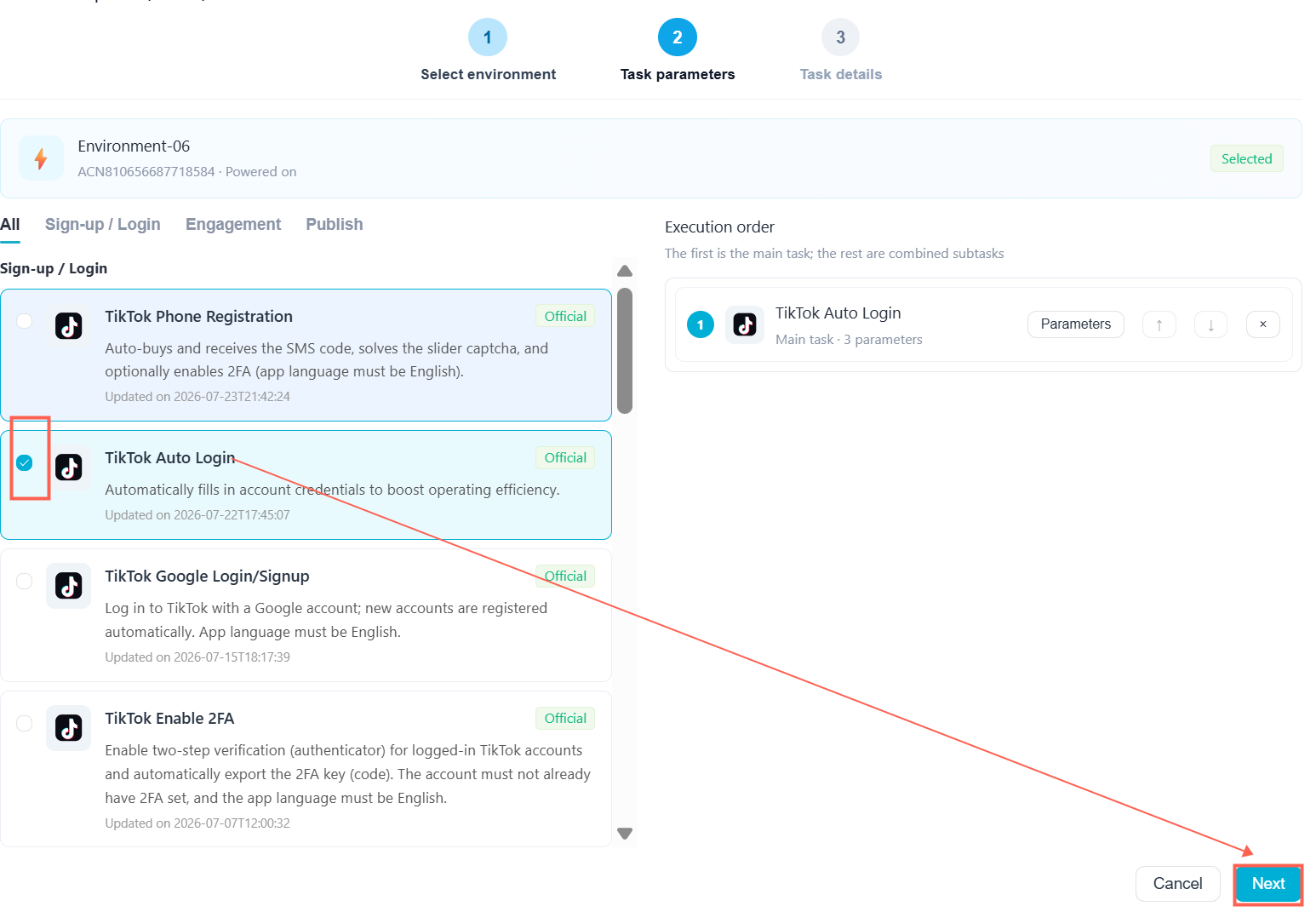
Method 1: Automatic Login
(For accounts that are bound to an environment and have 2FA configured)
Go to:【Environment Management】 → Select Environment → 【Execute】 → 【TikTok Auto Login】

Method 2: Manual Login
(For accounts without 2FA)
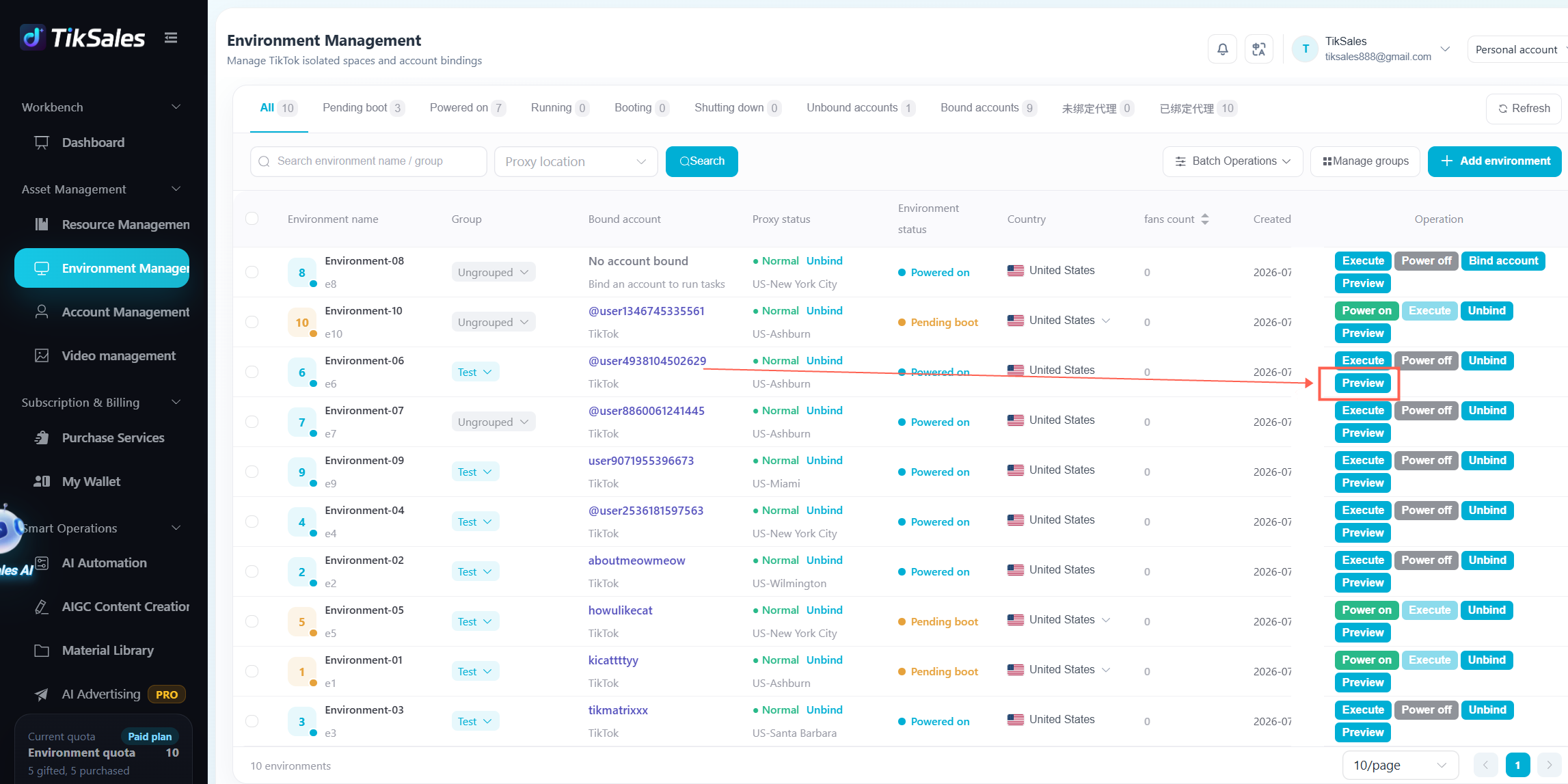
Go to:【Environment Management】 → Select Environment → 【Preview】
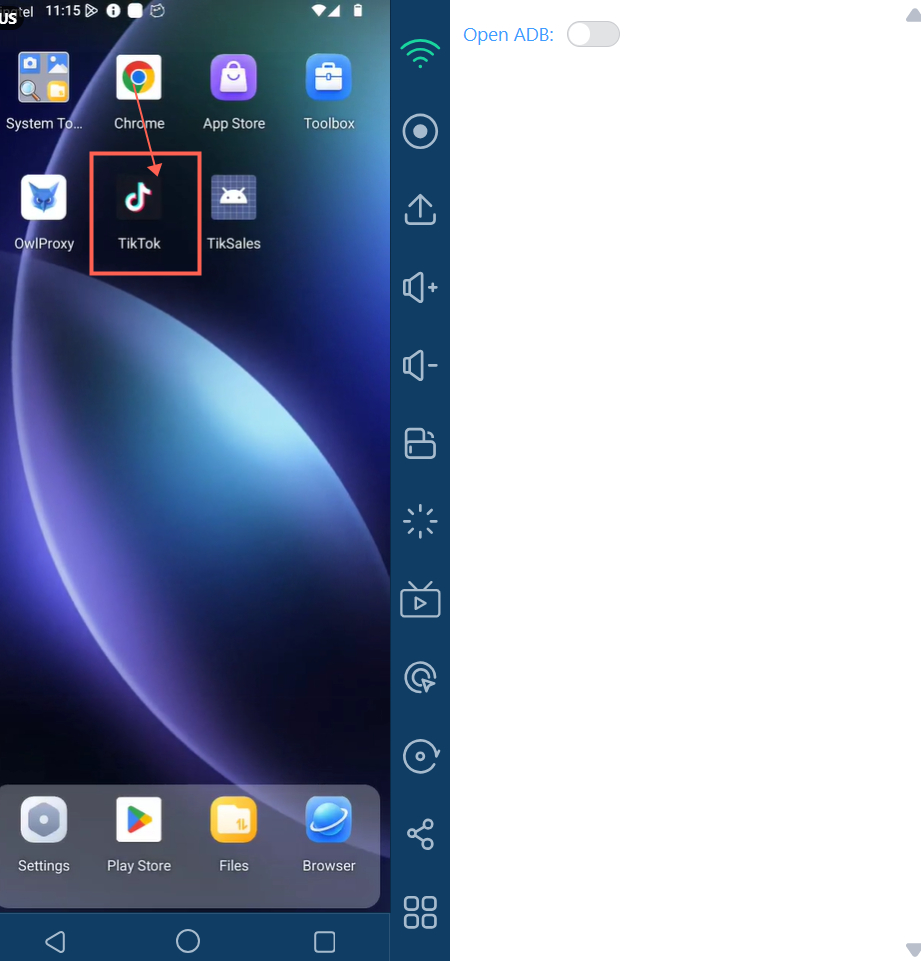
After opening the cloud device:
Open the TikTok App;
Enter the account and password;
Complete the required verification steps and log in.
Tips
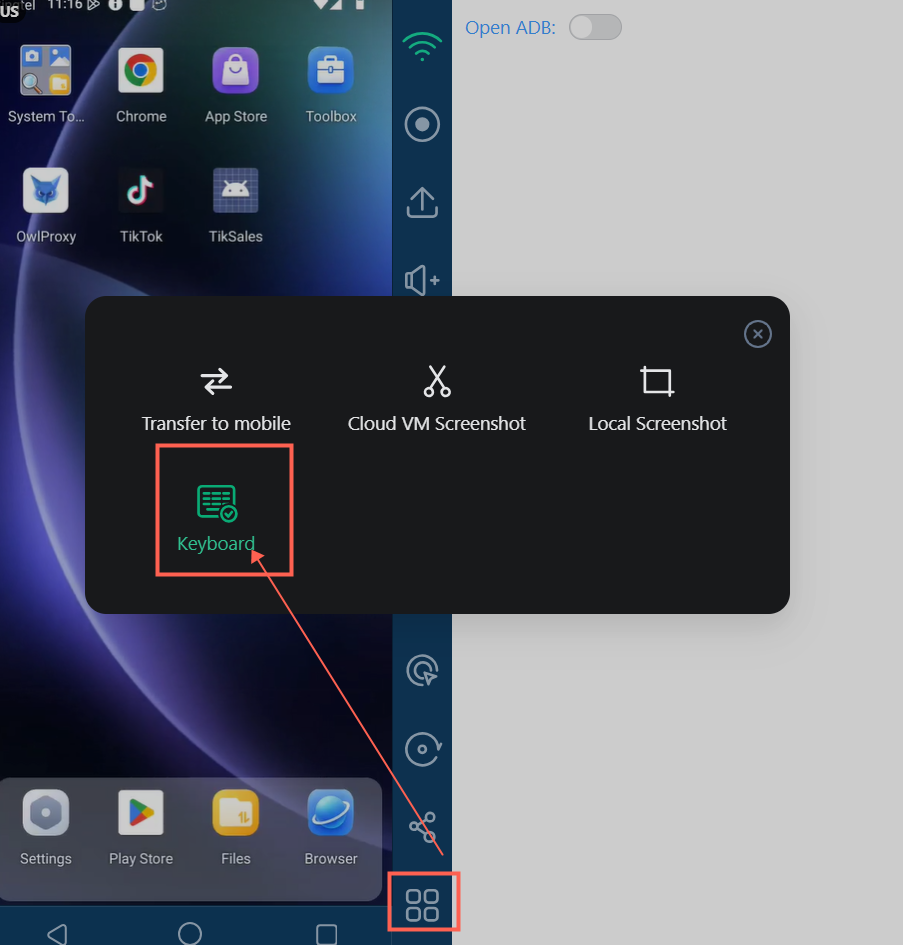
When operating the cloud device, if you need to use your computer keyboard for input:
Open the cloud device → Click the 【Settings】 icon → 【Environment Settings】 → Enable 【Use Local Input Method】
After enabling this option, you can type directly using your computer keyboard.
Frequently Asked Questions
Q: Why can't I use automatic login?
A: Please check whether:
The 2FA information has been entered correctly;
The environment is bound with the correct proxy IP;
The corresponding TikTok account is properly bound to the environment.
Q: After binding an account, do I still need to log in?
A: Yes. The account must complete the first successful login before automated tasks can be executed.
Q: Can one environment bind multiple accounts?
A: No. One account should correspond to one environment for easier management.