How to Back Up and Clone Device Data?
更新于 2026-08-25
Operations such as switching devices or upgrading to a different image version may result in device data being erased. To prevent data loss, we recommend backing up your data before performing these operations and using cloning to restore the data afterward.
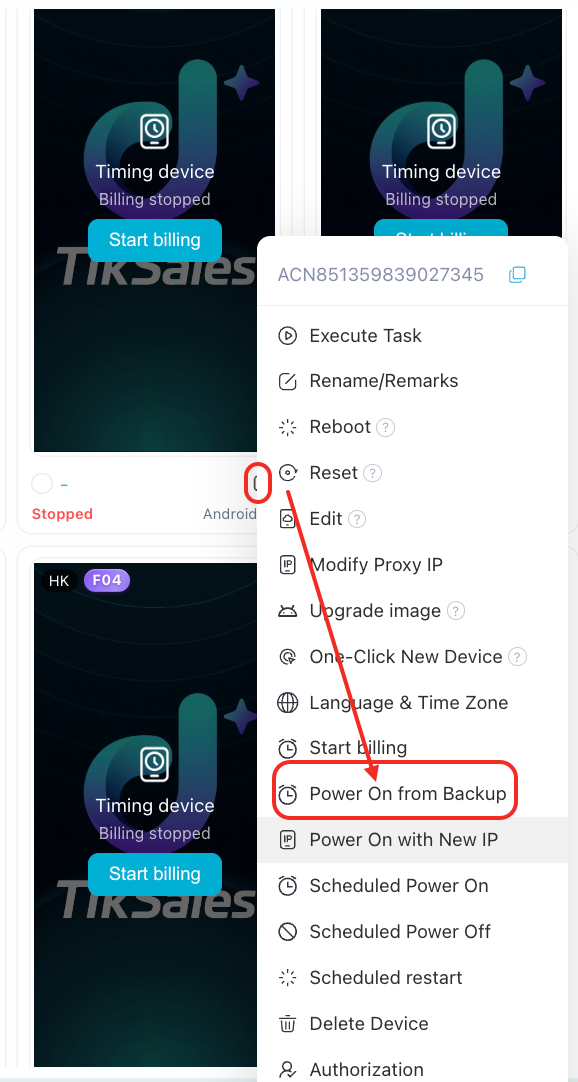
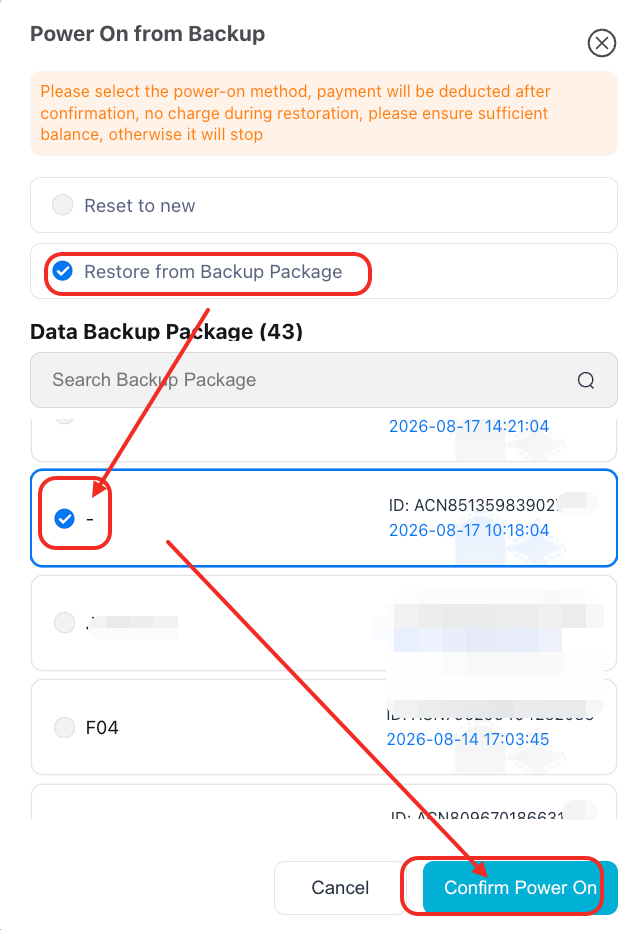
Note: Cloning and restoration are currently supported only for monthly subscription devices. For timed devices, you can choose to back up your data each time the device is shut down and use the backup package to start the device when powering it back on.
1. How to Back Up Device Data?
Monthly subscription devices only
Before switching devices, upgrading to a different OS image, or performing other operations that may erase device data, select the device you want to back up and click “Backup.” The backup data will be saved to your cloud storage.
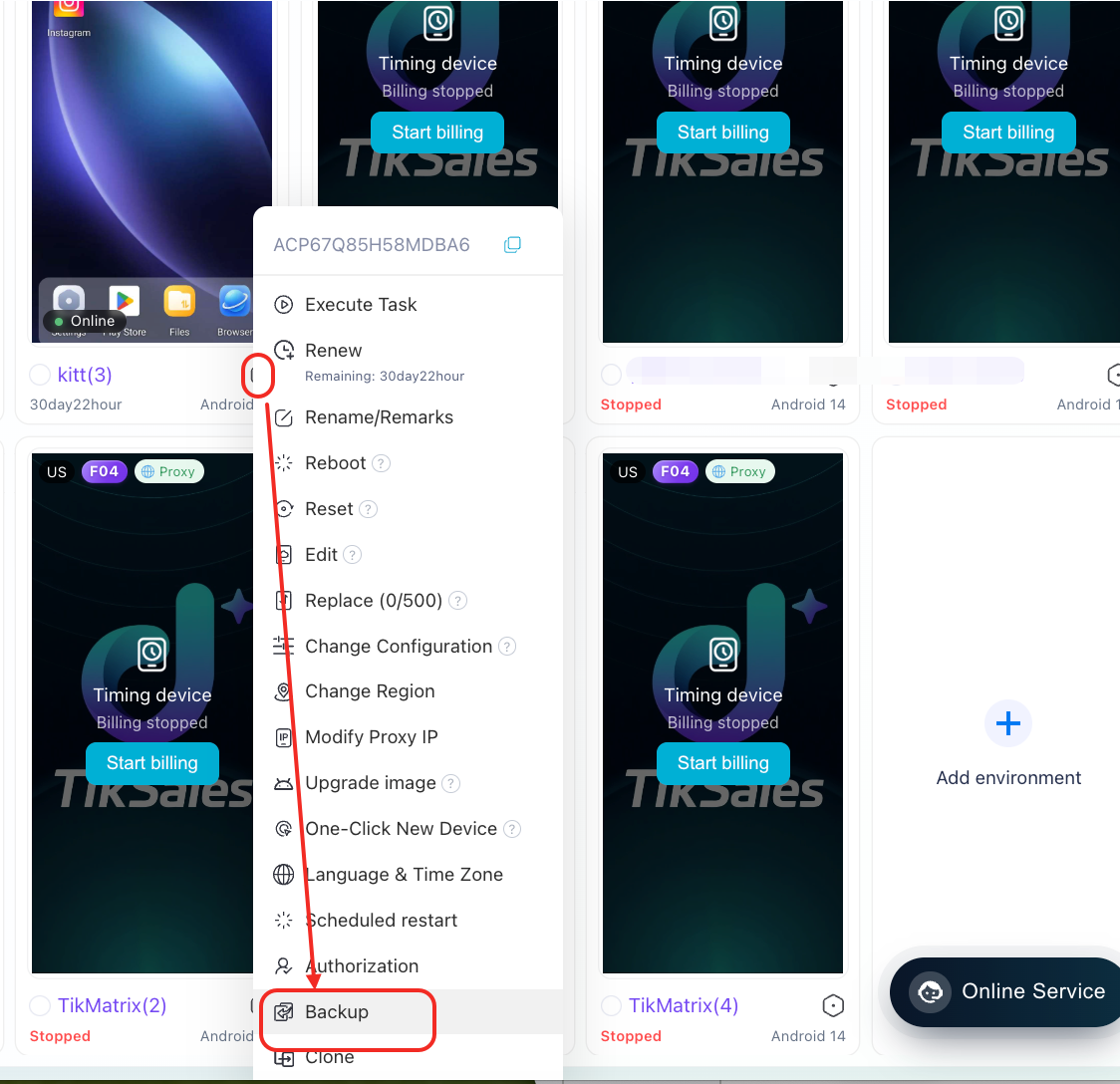
Note: If you do not have enough cloud storage space, you need to upgrade your cloud storage capacity first.
2. How to Clone and Restore Device Data?
Select the corresponding device and click “Clone” to restore the device using previously backed-up data.
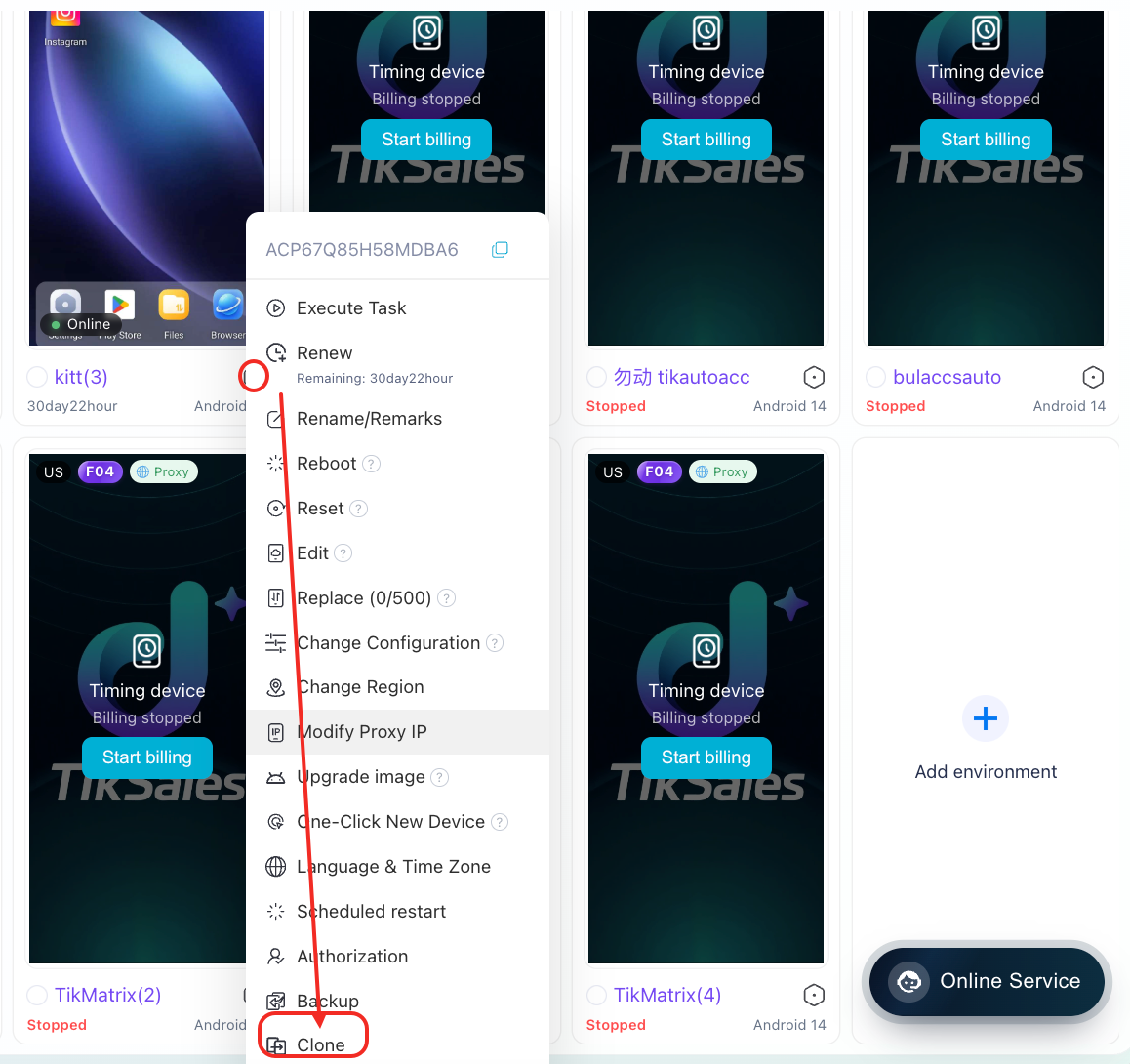
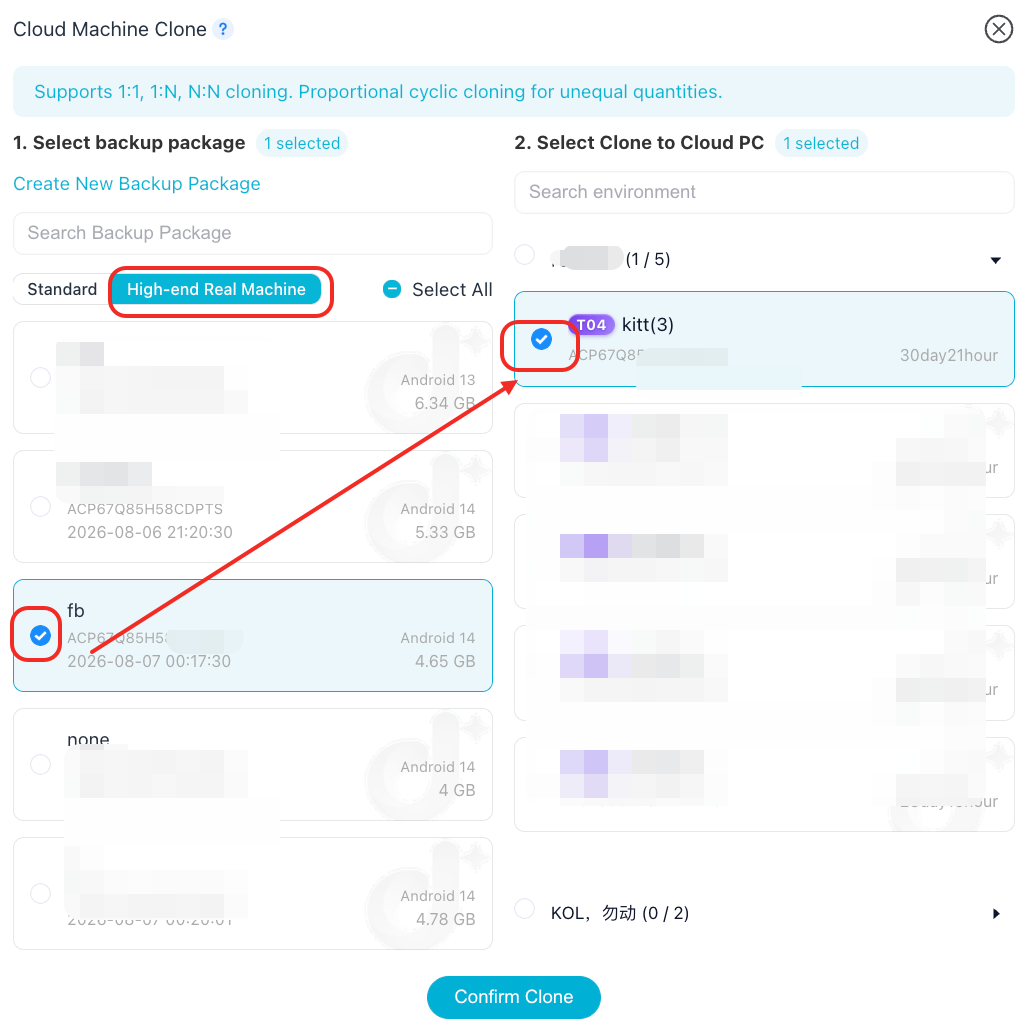
Clone Instructions
Cloud phone cloning allows you to copy the data and settings from one cloud phone to another cloud phone with one click.
Back up the cloud phone or select an existing backup package.
Select the cloud phone you want to clone the data to.
⚠️ Important Notes
The cloud phone will be forcibly restarted during the cloning process, and no operations can be performed during this period. Please save your business data in advance to avoid interruptions.
The larger the backup package, the longer the cloning process will take. The cloning process cannot be canceled once started.
Cloud phones with less than 1 hour of remaining time, authorized/being authorized devices, or devices in an abnormal state do not support cloning.
Cloning is only supported between cloud phones of the same device type as the backup package.
Timed devices do not support cloning. Please use the backup and restore function specifically provided for timed devices.
3. How to Back Up Data on Timed Devices?
For timed devices, you can choose to back up your data each time the device is shut down.
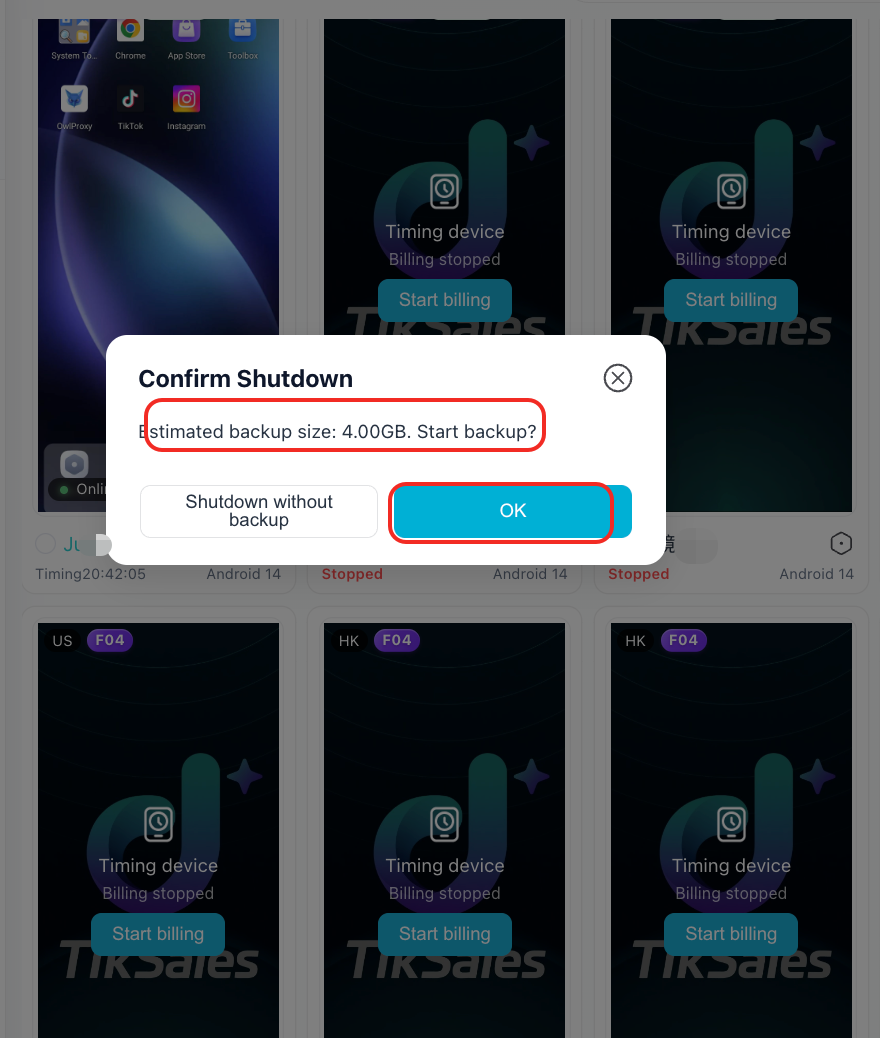
When starting the device again, you can use the “Start with Backup” function to restore the device using the backup package.