How to Authorize a Cloud Phone to Another User?
更新于 2026-09-09
You can use the Device Authorization feature to allow another account to access and use your cloud phone. The authorization process is slightly different for timed devices and monthly devices.
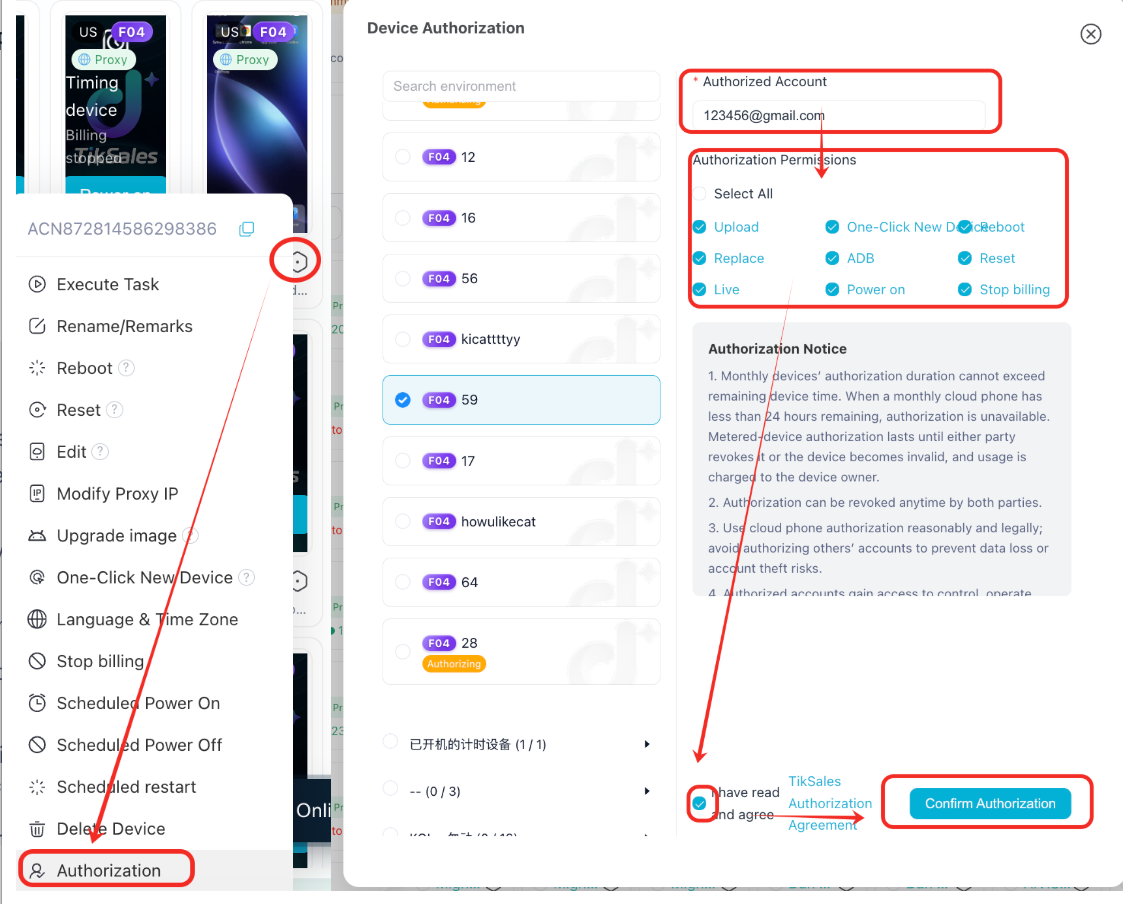
1. How do I authorize a timed device?
Follow these steps:
1.Select the device you want to authorize.
2.Click the Settings icon → Device Authorization.
3.Enter the authorized user's account and select the appropriate permissions.
4.Confirm the authorization.
Note: After a timed device is authorized, the device will use the device owner's time quota. Any usage time or applicable charges generated during the authorization period will be borne by the device owner. Please authorize your device carefully.
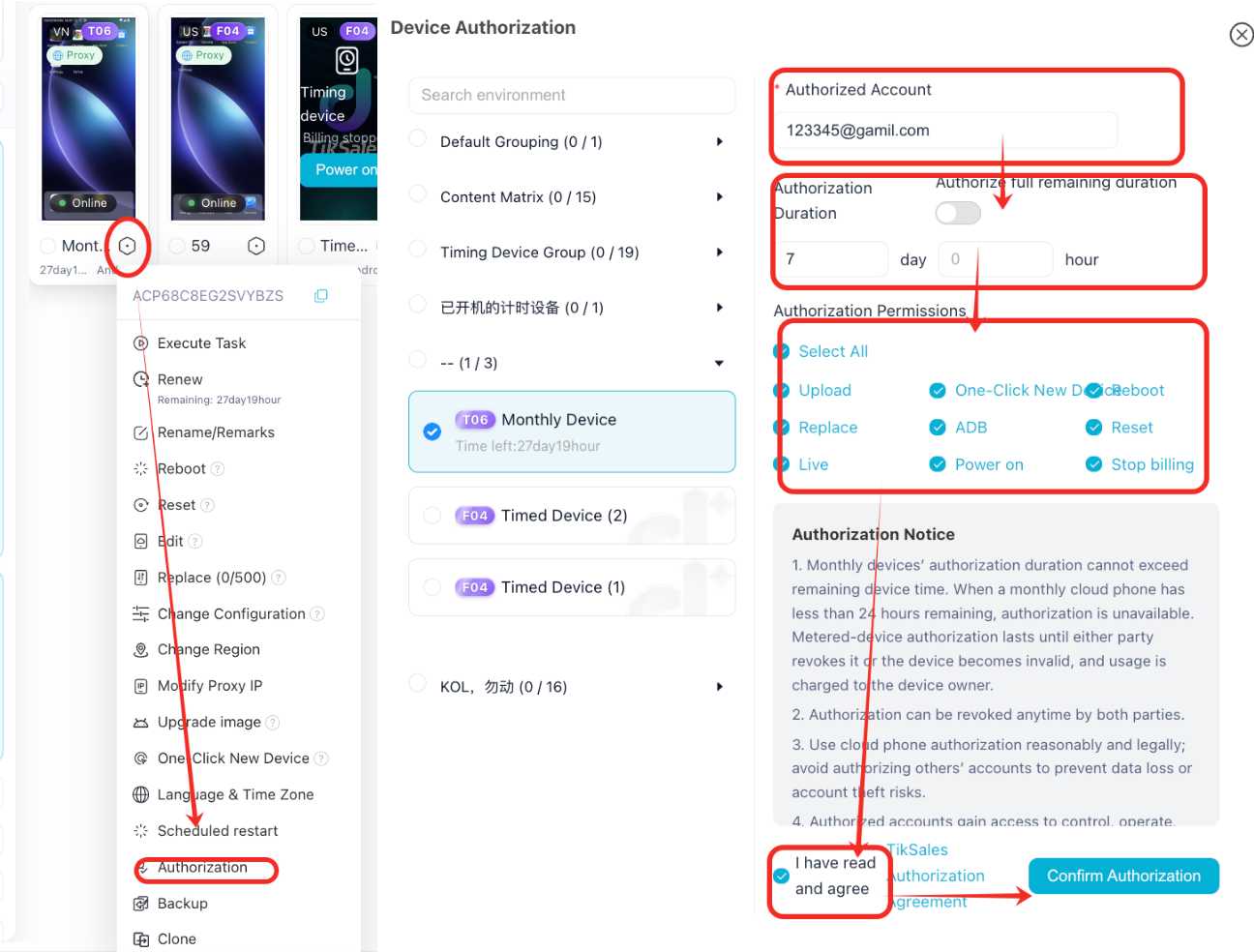
2. How do I authorize a monthly device?
The authorization process for monthly devices is similar to that of timed devices:
1. Select the device you want to authorize.
2. Click the Settings icon → Device Authorization.
3. Enter the authorized user's account, select the appropriate permissions, and set the authorization duration.
4. Confirm the authorization.
Note: Only monthly devices with more than 24 hours of remaining validity can be authorized. If the cloud phone has less than 24 hours remaining, device authorization is unavailable.
3. Are there any limits on the authorization duration?
The authorization duration for a monthly device cannot exceed the device's remaining validity period.
Device authorization is unavailable when the cloud phone has less than 24 hours remaining.
Authorization for a timed device remains active until either party cancels the authorization or the device expires.
Any usage time or applicable charges generated by a timed device during the authorization period are borne by the device owner.
4. Can I cancel an authorization?
Yes. Both the authorizing party and the authorized party can cancel the authorization at any time. Once the authorization is cancelled, the authorized account will no longer have access to the corresponding device permissions.
5. What should I know before authorizing a device?
For the security of your devices, data, and accounts, please read the following carefully before using the Device Authorization feature:
1.Use the authorization feature appropriately and lawfully. Do not share your cloud phone with unrelated third-party accounts. Improper authorization may result in risks such as data loss or unauthorized account access.
2.The authorized account may have device access and control. Depending on the permissions granted, the authorized account may be able to operate, control, or view the device. If authorization is granted improperly, another user may be able to view or operate games and applications running on the device, as well as perform actions such as restarting the device or restoring it to factory settings.
3.Choose authorized users carefully. Device authorization gives another account access to the corresponding device and its permitted functions. Make sure you trust the account before granting authorization.
4.Authorization involves security risks. Device authorization may involve risks to your account, data, and device security. Please use this feature with caution. Users are responsible for risks arising from authorization actions performed at their own discretion.